A production Node.js application runs real user data, real secrets, real network connections, and hundreds of third-party dependencies. Security at this scale is not an add-on layered on top of working code — it is an architectural concern that shapes how you select packages, configure the runtime, manage secrets, and respond to incidents.
Node.js security in production refers to the set of practices, configurations, and architectural decisions that protect a Node.js application, its dependencies, and its runtime environment from unauthorized access, data breaches, and supply chain attacks throughout the software development lifecycle.
This article is a technical deep dive on how to ensure Node.js security in production, for engineering teams building or maintaining production Node.js services. For a foundational overview of common Node.js vulnerabilities and basic mitigation practices, see our companion guide on Node.js security best practices. Here we focus on the areas that differentiate a production-grade security program: supply chain integrity, OWASP Top 10:2025 mapping, the Node.js Permission Model, and a deployable security checklist.
Why Node.js Security Demands a Production-Grade Approach
In development, a vulnerable dependency is a warning in a terminal. In production, it is an attack surface that an adversary can probe continuously. The npm ecosystem makes it possible to assemble a feature-rich backend in days, but every package you install becomes part of your security perimeter. A single compromised package — whether through account takeover, typosquatting, or a malicious maintainer — can inject code into your build pipeline, your runtime, and your users’ sessions.
The September 2025 compromise of the npm chalk and debug package family illustrated how fast this happens. Those libraries see over 2.6 billion combined weekly downloads and sit deep in dependency trees that most engineers never inspect directly. Malicious versions were live for roughly two hours before the maintainer caught and removed them — but any CI pipeline, build server, or developer machine that ran npm install in that window pulled the tainted code.
Production context changes what is at stake. You are handling real secrets, real user data, real compliance obligations, and real traffic. A vulnerability that is theoretical in a side project becomes a reportable incident in production. That gap is why a production-grade Node.js security program cannot stop at “run npm audit and fix what it flags.” It needs to address the full lifecycle: how packages enter your project, how the runtime is locked down, how authentication and data are protected, and how you detect and respond when something goes wrong.
Mapping OWASP Top 10:2025 to Node.js
The OWASP Top 10:2025 is the latest edition of the industry-standard awareness document for web application security risks. The 2025 release restructured the list to reflect modern attack patterns, most notably elevating Software Supply Chain Failures to A03 and introducing Mishandling of Exceptional Conditions as A10. Mapping these categories to Node.js-specific risks gives engineering teams a concrete starting point for prioritization.
| OWASP 2025 | Node.js-specific risk | Mitigation |
|---|---|---|
| A01 Broken Access Control | Over-privileged JWT tokens, missing RBAC middleware, IDOR in API routes | Least-privilege token scopes, RBAC middleware, resource ownership checks |
| A02 Security Misconfiguration | Debug mode in production, open CORS, default helmet settings, verbose error responses | Environment-based config, locked CORS origins, helmet with custom CSP, sanitized error output |
| A03 Software Supply Chain Failures | npm dependency exploits, typosquatting, maintainer account takeover, transitive vulnerability propagation | Lockfiles, npm provenance verification, npm audit signatures, SBOM generation, registry pinning |
| A04 Cryptographic Failures | Weak password hashing, hardcoded secrets, outdated TLS, missing encryption at rest | Argon2id or bcrypt, KMS/Vault for secrets, approved minimum TLS version, field-level encryption for PII |
| A05 Injection | SQL/NoSQL injection via unsanitized input, command injection in child_process, XSS in rendered output | Joi/Zod schema validation, parameterized queries (Prisma, Drizzle), express-mongo-sanitize, output encoding |
| A06 Insecure Design | No threat modeling, missing security controls baked into architecture, assumed-safe third-party integrations | STRIDE threat modeling at design phase, security review for new features, zero-trust integration patterns |
| A07 Authentication Failures | Long-lived JWT without rotation, weak session management, missing MFA, predictable tokens | Short JWT expiry with refresh token rotation, secure cookie flags, MFA enforcement, session invalidation |
| A08 Software or Data Integrity Failures | Unsigned npm packages, tampered CI artifacts, no build attestation | Sigstore provenance, CI pipeline signing, integrity checks on deployed artifacts |
| A09 Security Logging and Alerting Failures | No structured logs, missing security event capture, no alerting on anomalies | Structured logging with pino/winston, security event schema, alerting on auth failures and rate-limit triggers |
| A10 Mishandling of Exceptional Conditions | Swallowed errors leaking stack traces, unhandled promise rejections crashing the process, info disclosure in error responses | Centralized error-handling middleware, no stack traces in production responses, graceful shutdown on unhandled rejections |
This mapping is not a checklist to complete once. It is a lens for reviewing every new feature, dependency, and configuration change against the categories that matter most in a Node.js context.
Securing the Node.js Supply Chain
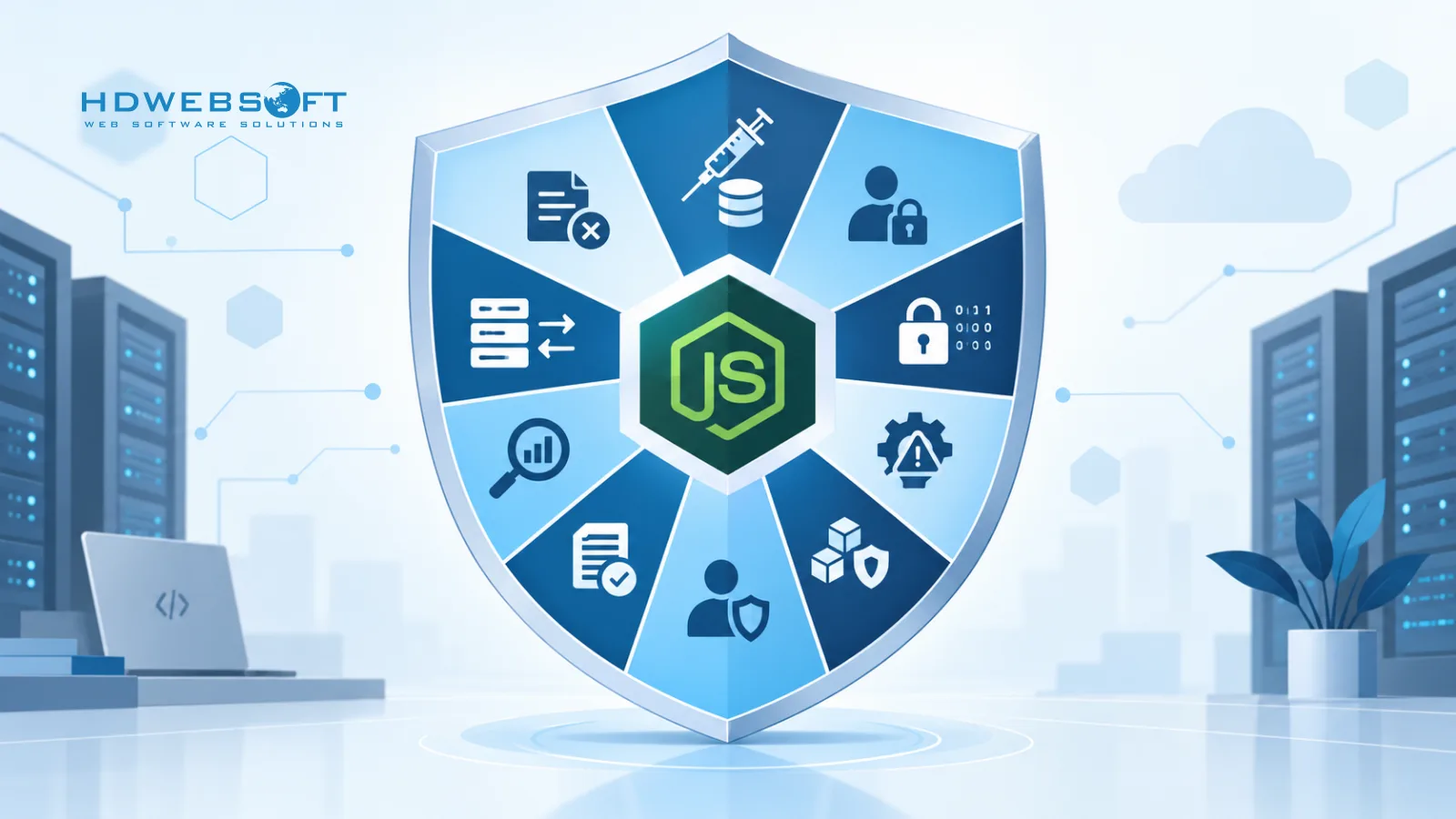
Supply chain security is the area where most production Node.js applications are weakest, and it is where this guide differs most from a foundational security overview. The npm registry is the largest package ecosystem in open source, and its low publish friction makes it an attractive target for attackers. Account takeovers, typosquatting, and automated package-generation pipelines have all increased sharply, and the packages being targeted are not obscure — they are deeply embedded in production dependency trees.
Lockfiles are your first line of defense
A committed lockfile (package-lock.json or pnpm-lock.yaml) pins every dependency to a specific version and integrity hash. Without a lockfile, npm install resolves to the latest version that satisfies your package.json ranges, which means a malicious or accidentally broken publish can land in your build without any code change on your side.
Commit lockfiles to version control. Review lockfile diffs in pull requests the same way you review code — a new transitive dependency appearing in a minor update is a signal worth investigating.
Verify package integrity with npm audit signatures
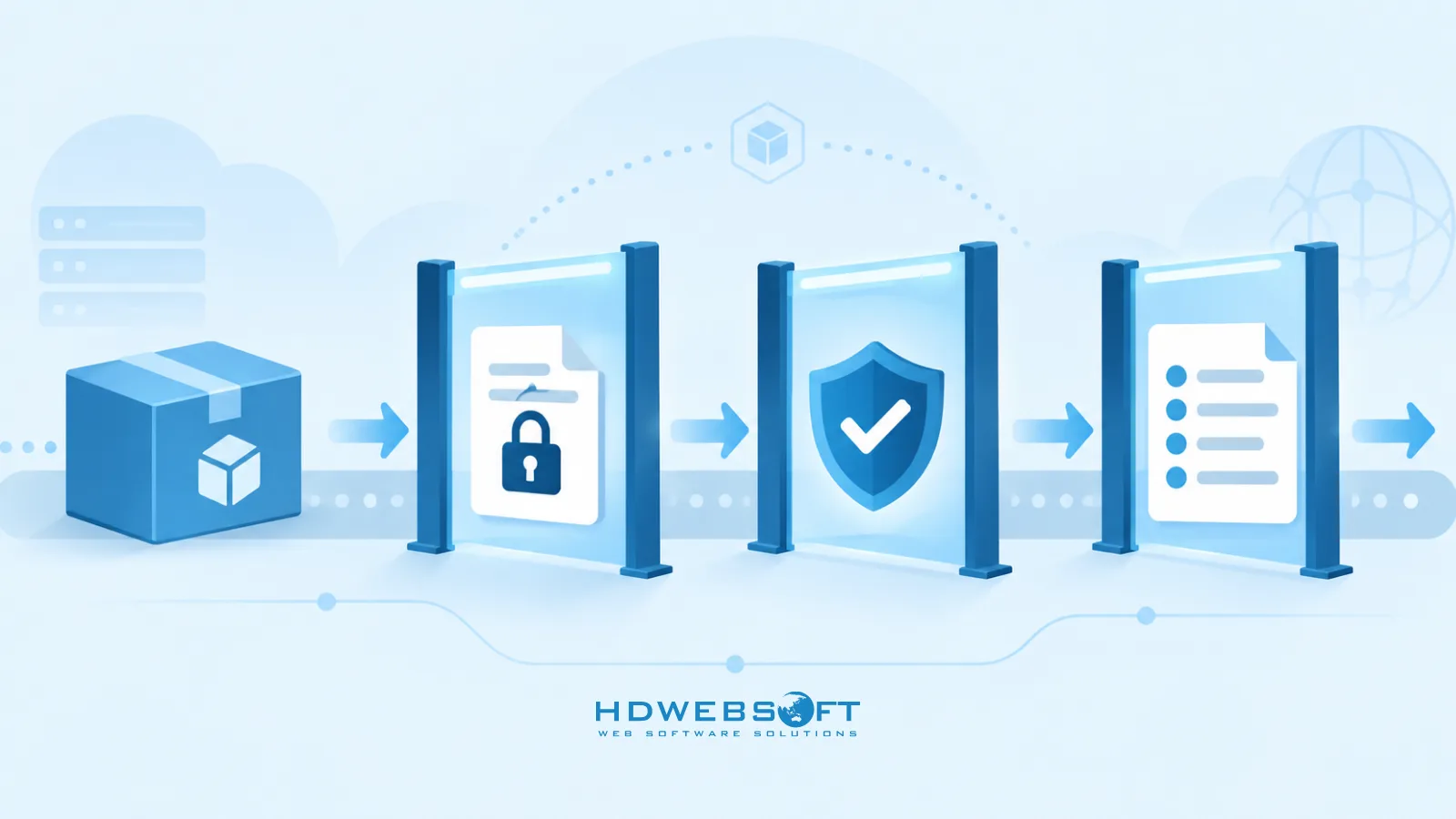
npm audit identifies known vulnerabilities in your dependency tree, but it does not verify that the packages you downloaded are what the publisher intended. That is where npm audit signatures comes in. It verifies registry signatures and provenance attestations on installed packages, giving you confidence that the tarball you have matches what was published and, where provenance is available, that it was built by a specific CI workflow from a specific commit.
# Verify registry signatures and provenance attestations
npm audit signatures
Run this in CI as a gate step. If a package fails signature verification, the build should not proceed.
Prefer packages with Sigstore provenance
npm provenance ties a published package to the specific GitHub Actions or GitLab CI run that built it, signed through Sigstore and logged in a public transparency ledger. When you have a choice between two packages of similar quality, prefer the one that publishes with --provenance. It does not guarantee the package is free of malicious code, but it does give you a verifiable link between the source repository, the build process, and the artifact you install.
Generate a Software Bill of Materials
An SBOM is a machine-readable inventory of every component in your application, including transitive dependencies. Tools like npm sbom (available in npm 9+) or cyclonedx-npm generate SBOMs in standard formats such as SPDX or CycloneDX. An SBOM lets you quickly answer “are we affected by this CVE?” without manually tracing dependency trees, and it is increasingly required by enterprise procurement and compliance frameworks.
# Generate a CycloneDX SBOM
npx @cyclonedx/cyclonedx-npm --output-file sbom.json
Pin your registry and control install scripts
Pin your registry URL in .npmrc to prevent accidental resolution from an untrusted mirror:
# .npmrc
registry=https://registry.npmjs.org/
audit-level=high
Install scripts can execute arbitrary code during npm install. Setting ignore-scripts=true in .npmrc disables them, but some packages require install scripts to function — for example, packages that compile native addons or download platform-specific binaries. Use ignore-scripts=true when your dependencies and workflow allow it, and verify before enforcing it globally. If a critical dependency breaks with scripts disabled, evaluate whether that dependency is worth the risk.
Node.js Permission Model — Process-Level Sandboxing
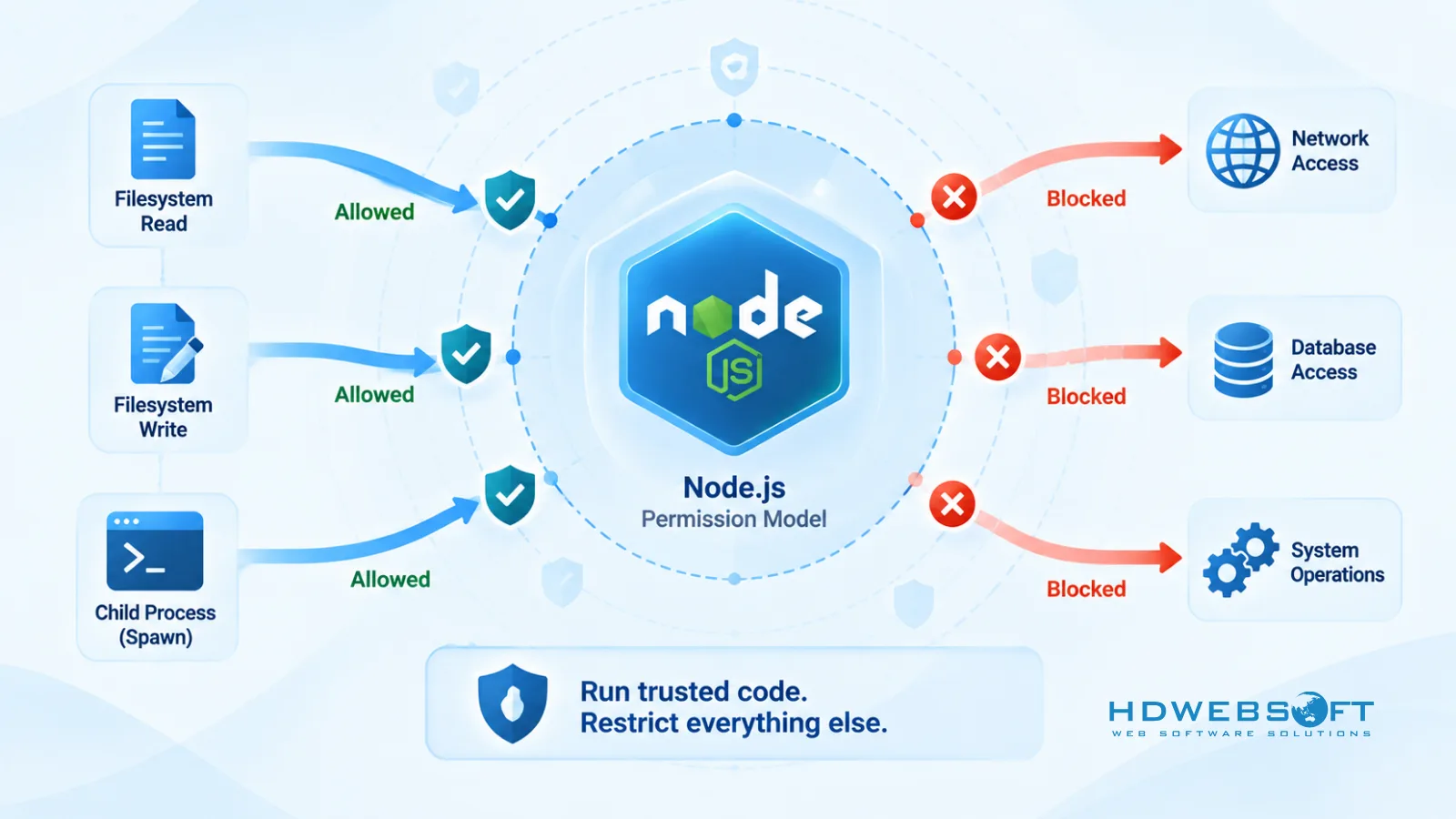
The Node.js Permission Model is a built-in mechanism for restricting what system resources a Node.js process can access. It became stable in Node.js 22.13.0 and is no longer experimental.
When you start Node.js with the --permission flag, the process is denied access to the filesystem, child processes, worker threads, native addons, WASI, and the runtime inspector by default. You then selectively grant access using --allow-* flags:
# Allow reading from /app and /tmp, writing to /app/logs only
node --permission \
  --allow-fs-read=/app,/tmp \
  --allow-fs-write=/app/logs \
  server.js
# Allow child processes but not worker threads or native addons
node --permission --allow-child-process server.jsWhat the Permission Model is — and what it is not
The Permission Model implements a seat belt approach. It prevents trusted code from unintentionally changing files or using resources that access has not explicitly been granted to. This is useful for limiting blast radius: if a dependency has a bug that tries to write to /etc/passwd, the Permission Model blocks it.
However, the Permission Model is not a full security sandbox. According to the official Node.js Security Policy, Node.js trusts any code it is asked to run. Malicious code can bypass the permission model and execute arbitrary code without the restrictions imposed by it. The Permission Model does not provide security guarantees in the presence of malicious or untrusted code.
Use the Permission Model as one layer in a defense-in-depth strategy — alongside container security, non-root execution, and network controls — not as a replacement for any of them.
| Aspect | Permission Model | Container security |
|---|---|---|
| Scope | Node.js process resources (fs, child_process, workers, addons) | OS-level isolation (filesystem, network, users, capabilities) |
| Threat model | Trusted code accident | Untrusted or compromised process |
| Bypass resistance | Low — malicious code can bypass | Higher — kernel-enforced isolation |
| Complementary? | Yes — use both | Yes — use both |
Authentication and Authorization Hardening
Authentication and authorization are where most production incidents originate. A weak token policy or a missing access control check can expose every user’s data in a single request.
JWT: short expiry with refresh token rotation
Long-lived JWTs are a liability. If a token is stolen, it remains valid until it expires. Use short access-token expiry (15 minutes or less) and rotate refresh tokens on every use. When a refresh token is used to mint a new access token, issue a new refresh token and invalidate the old one.
// Issue a short-lived access token
const accessToken = jwt.sign(
  { sub: userId, scope: 'user' },
  process.env.JWT_SECRET,
  { expiresIn: '15m', algorithm: 'HS256' }
);

// Rotate refresh token on each use
async function refresh(refreshToken) {
  const payload = jwt.verify(refreshToken, process.env.REFRESH_SECRET);
  const stored = await getRefreshToken(payload.jti);
  if (!stored || stored.revoked) throw new Error('Invalid refresh token');
  await revokeRefreshToken(payload.jti);
  return issueTokenPair(payload.sub);
}
Password hashing: Argon2id preferred, bcrypt as fallback
Prefer Argon2id when your stack supports it. Argon2id is the recommended password hashing algorithm in the OWASP Password Storage Cheat Sheet because it is resistant to both GPU and side-channel attacks. bcrypt remains a mature, widely compatible option when Argon2id is not available or when you need compatibility with existing password databases.
// Argon2id (preferred)
const argon2 = require('argon2');
const hash = await argon2.hash(password, {
  type: argon2.argon2id,
  memoryCost: 65536,
  timeCost: 3,
  parallelism: 4,
});

// bcrypt (mature fallback)
const bcrypt = require('bcrypt');
const hash = await bcrypt.hash(password, 12);
Never use MD5, SHA1, or plain text for password storage.
Rate limiting and brute-force protection
Apply rate limiting to authentication endpoints specifically, not just globally. express-rate-limit and @fastify/rate-limit both support per-route configuration:
const rateLimit = require('express-rate-limit');

const authLimiter = rateLimit({
  windowMs: 15 * 60 * 1000,
  max: 5,
  standardHeaders: true,
  message: 'Too many login attempts, try again later.',
});

app.post('/auth/login', authLimiter, loginHandler);
Service-to-service authentication in distributed systems
When your Node.js services communicate with each other, mutual TLS or signed service tokens provide stronger guarantees than shared API keys. For a deeper look at authentication and security patterns in distributed Node.js architectures, see our guide on Node.js microservices.
Data Security in Transit and at Rest
TLS configuration
Prefer TLS 1.3 and maintain an approved minimum TLS version based on your compatibility requirements. Enforcing TLS 1.3-only may break clients or integrations that still require TLS 1.2. Document your minimum TLS version and review it when you update your runtime or infrastructure.
Secret management in production
Do not rely on .env files for production secret management. .env files are appropriate for local development and testing, but production secrets should be managed through a dedicated secret store — AWS Secrets Manager, Google Secret Manager, HashiCorp Vault, or your platform’s built-in secret store. These provide rotation, audit logging, and access control that .env files cannot.
// Load secrets from AWS Secrets Manager in production
const { SecretsManagerClient, GetSecretValueCommand } =
  require('@aws-sdk/client-secrets-manager');

const client = new SecretsManagerClient({ region: process.env.AWS_REGION });

async function getSecret(name) {
  const response = await client.send(
    new GetSecretValueCommand({ SecretId: name })
  );
  return JSON.parse(response.SecretString);
}
Field-level encryption for sensitive data
For PII or regulated data, consider field-level encryption before storing records. This limits exposure if the database is compromised — an attacker with read access to the database sees ciphertext, not plaintext.
For a broader perspective on why data security management matters at the organizational level, see our analysis of data security management.
Input Validation and Injection Defense
Input validation is the most reliable defense against injection attacks. Validate every input against an explicit schema before it reaches your business logic.
Schema validation with Joi or Zod
// Joi
const Joi = require('joi');

const userSchema = Joi.object({
  email: Joi.string().email().required(),
  password: Joi.string().min(12).max(128).required(),
  role: Joi.string().valid('admin', 'user').default('user'),
});

const { value, error } = userSchema.validate(req.body);
if (error) return res.status(400).json({ error: error.message });
// Zod
const { z } = require('zod');
const userSchema = z.object({
email: z.string().email(),
password: z.string().min(12).max(128),
role: z.enum(['admin', 'user']).default('user'),
});
const parsed = userSchema.safeParse(req.body);
if (!parsed.success) return res.status(400).json({ error: parsed.error });NoSQL injection and parameterized queries
If you use MongoDB, sanitize inputs to prevent operator injection with express-mongo-sanitize. For SQL databases, use parameterized queries through an ORM or query builder — Prisma, Drizzle, and Knex all parameterize by default. Never concatenate user input into a query string.
Security Headers and Server Configuration
helmet with custom CSP
helmet sets sensible defaults, but for production you should customize Content-Security-Policy to match your application’s actual resource origins. A nonce-based CSP is stronger than a static one because it prevents inline script injection even if an attacker finds an XSS vector.
const helmet = require('helmet');
const crypto = require('crypto');

app.use((req, res, next) => {
  res.locals.cspNonce = crypto.randomBytes(16).toString('base64');
  next();
});

app.use(
  helmet({
    contentSecurityPolicy: {
      directives: {
        defaultSrc: ["'self'"],
        scriptSrc: ["'self'", (req, res) => `'nonce-${res.locals.cspNonce}'`],
        styleSrc: ["'self'", "'unsafe-inline'"],
        imgSrc: ["'self'", 'data:', 'https:'],
        connectSrc: ["'self'"],
        frameAncestors: ["'none'"],
        objectSrc: ["'none'"],
      },
    },
    hsts: { maxAge: 31536000, includeSubDomains: true, preload: true },
  })
);
CORS locked to specific origins
Never use cors({ origin: '*' }) in production. List the exact origins that are allowed:
const cors = require('cors');

const allowedOrigins = ['https://app.example.com', 'https://admin.example.com'];

app.use(
  cors({
    origin: (origin, callback) => {
      if (!origin || allowedOrigins.includes(origin)) {
        callback(null, true);
      } else {
        callback(new Error('Not allowed by CORS'));
      }
    },
    credentials: true,
  })
);
Container and Deployment Security for Node.js
Run as a non-root user
FROM node:22-slim

WORKDIR /app

COPY package*.json ./
RUN npm ci --only=production

COPY . .

# Create and switch to a non-root user
RUN groupadd -r appuser && useradd -r -g appuser appuser
USER appuser

# Optional: apply Permission Model flags at runtime
CMD ["node", "--permission", "--allow-fs-read=/app", "--allow-fs-write=/app/logs", "server.js"]
Pin trusted base images and scan for vulnerabilities
Do not use latest as a base image tag. Pin to a specific digest so that a base image update does not silently change your build:
FROM node:22-slim@sha256:<specific-digest>Distroless and slim images reduce the attack surface by removing shell tools and package managers, but they are not automatically secure. Scan every image — distroless or not — with Trivy, Grype, or your registry’s built-in scanner. A slim image with a vulnerable dependency is still a vulnerable image.
Read-only filesystem
Run your container with a read-only root filesystem and mount writable volumes only where the application needs them:
docker run --read-only --tmpfs /tmp -v ./logs:/app/logs node-appHealth checks and graceful shutdown
Health checks and graceful shutdown are primarily reliability concerns, but they also prevent partial-failure states that can expose security issues. Ensure your app closes database connections and stops accepting new requests before exiting.
For broader cloud deployment security considerations, see our guide on cloud deployment security.
Monitoring, Logging, and Incident Response
Structured logging with security event schema
Use pino or winston with a consistent JSON schema for security events. Every authentication attempt, access control decision, rate-limit trigger, and error should be logged with enough context to reconstruct what happened:
const pino = require('pino');
const logger = pino({ level: process.env.LOG_LEVEL || 'info' });

// Log a security event
logger.info({
  event: 'auth.login',
  outcome: 'failure',
  userId: req.body.email,
  ip: req.ip,
  reason: 'invalid_credentials',
}, 'Login attempt failed');
Alerting on anomalies
Forward logs to a central system — Datadog, New Relic, CloudWatch, or an ELK stack — and configure alerts for:
- Repeated authentication failures from a single IP
- Rate-limit threshold hits on sensitive endpoints
- Unexpected outbound network connections
- Error rate spikes
- Package integrity verification failures in CI
Incident response runbook
Maintain a runbook that covers: who is notified, how to revoke credentials and tokens, how to roll back a deployment, how to isolate a compromised service, and how to communicate with affected users. Test the runbook periodically — an untested plan is a plan that fails under pressure.
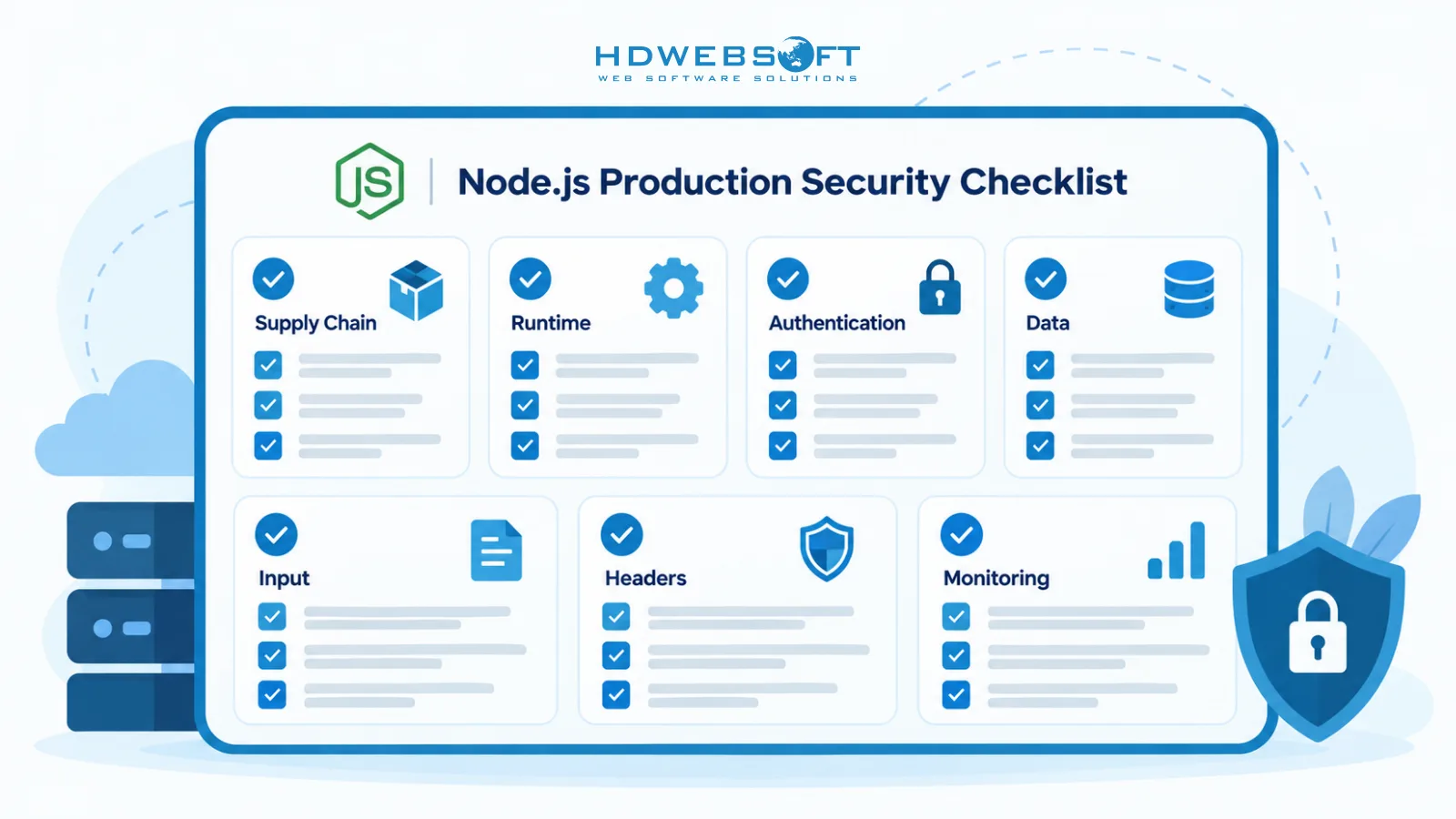
Node.js Security Checklist for Production
-
Supply chain
- Commit and review lockfiles in every pull request
- Run
npm audit signaturesin CI as a gate step - Prefer packages with Sigstore provenance attestations
- Generate and store an SBOM for every release
- Pin registry URL in
.npmrc; useignore-scriptswhere dependencies allow
-
Runtime
- Run Node.js as a non-root user
- Apply Permission Model flags (
--permission,--allow-fs-*) where feasible - Pin base image to a specific digest; scan every image
- Use a read-only container filesystem with explicit writable mounts
-
Authentication
- Short JWT expiry (15 min) with refresh token rotation
- Argon2id for password hashing (bcrypt as mature fallback)
- MFA on admin and high-privilege endpoints
- Secure cookie flags:
httpOnly,secure,sameSite - Rate limiting on auth endpoints
-
Data
- Approved minimum TLS version based on compatibility needs
- Production secrets in KMS, Vault, or platform secret store — not
.env - Field-level encryption for PII or regulated data
-
Input
- Joi or Zod schema validation on every request body
- Parameterized queries (Prisma, Drizzle, Knex)
express-mongo-sanitizefor MongoDB- Output encoding for rendered content
-
Headers
helmetwith custom nonce-based CSP- HSTS with
includeSubDomainsandpreload - CORS locked to specific origins
-
Monitoring
- Structured JSON logs with security event schema
- Alerts for auth failures, rate-limit hits, and integrity failures
- Tested incident response runbook
Frequently Asked Questions
How do you ensure Node.js security in production?
A multi-layered approach is needed: supply chain integrity through lockfiles, npm provenance, and audit signatures; runtime sandboxing via the Permission Model and non-root execution; strong authentication with JWT rotation and Argon2id; input validation with Joi or Zod; security headers with helmet; and continuous monitoring with incident response planning.
What is the Node.js Permission Model?
The Node.js Permission Model is a stable feature since Node 22.13.0 that restricts process access to the filesystem, child processes, workers, and native addons via the --permission and --allow-* flags. It is a seat belt for trusted code, not a full security sandbox against malicious code.
How do you secure npm dependencies against supply chain attacks?
Use lockfiles, run npm audit signatures to verify provenance, prefer packages with Sigstore provenance attestations, generate SBOMs, pin registry URLs in .npmrc, and conditionally disable install scripts with ignore-scripts when your dependencies and workflow allow it.
What are the most common Node.js security vulnerabilities?
Mapped to OWASP Top 10:2025, the most common include broken access control, security misconfiguration, software supply chain failures, cryptographic failures, injection, and authentication failures — with Node.js-specific vectors like npm dependency exploits and event loop blocking.
Is npm audit enough to secure Node.js dependencies?
No. npm audit identifies known vulnerabilities in dependencies but does not verify package integrity or provenance. Use npm audit signatures for signature and provenance verification, commit lockfiles, prefer packages with Sigstore attestations, and generate SBOMs for full supply chain visibility.
Is the Node.js Permission Model a security sandbox?
No. The Permission Model is a seat belt that restricts trusted code from unintentionally accessing resources outside its scope. It does not provide security guarantees against malicious code, which can bypass the model. Use it alongside container security, not as a replacement.
Conclusion
Production-grade Node.js security is not a single tool or a one-time audit. It is a program that spans supply chain integrity, runtime hardening, authentication, data protection, and continuous monitoring. The OWASP Top 10:2025 gives you a framework for prioritization, the Permission Model gives you a new layer of runtime control, and supply chain practices like provenance verification and SBOM generation close the gap that npm audit alone cannot.
If your team is building or scaling a Node.js application and needs a partner who treats security as an architectural concern rather than an afterthought, HDWEBSOFT brings over a decade of experience in Node.js development services. Contact us to discuss how we can help you ship secure, resilient, production-ready Node.js applications.