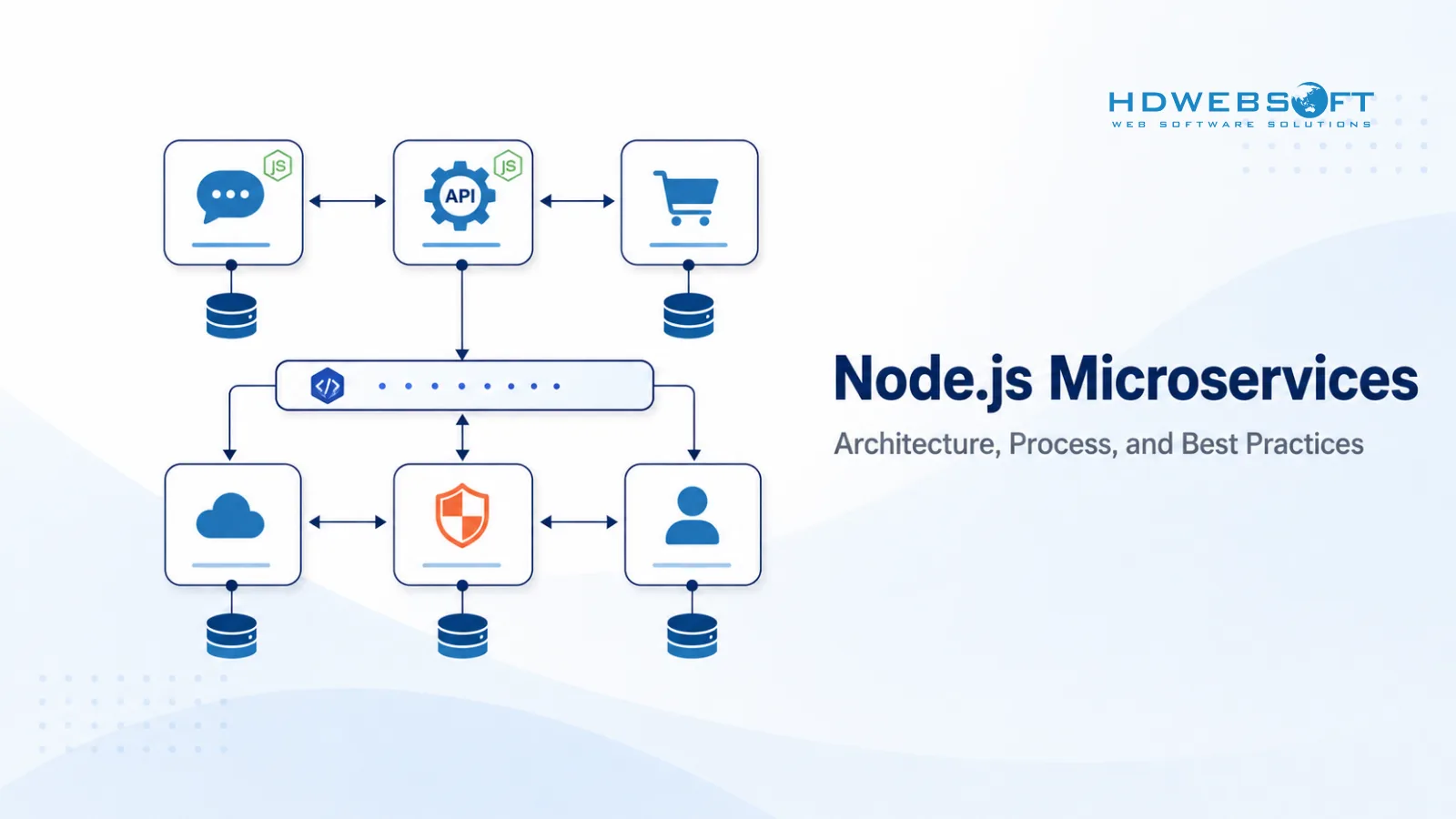
Node.js microservices combine the event-driven performance of Node.js with the modular, independently deployable structure of microservices architecture. This combination is widely used for scalable backend systems, API-driven platforms, real-time applications, and cloud-native products.
For a broader view of where Node.js fits across application types, see our guide on Node.js applications. This article focuses specifically on the intersection of Node.js and microservices: why they work together, when to choose this approach, how to build Node.js microservices in practice, and when another technology may be a better fit.
Why Node.js Fits Microservices Architecture
Node.js fits microservices architecture because it is lightweight, event-driven, and built for I/O-heavy workloads. Microservices need services that start fast, handle many concurrent connections, and communicate efficiently with other services and external systems. Node.js was designed for exactly these conditions.
Advantages of Node.js for Microservices
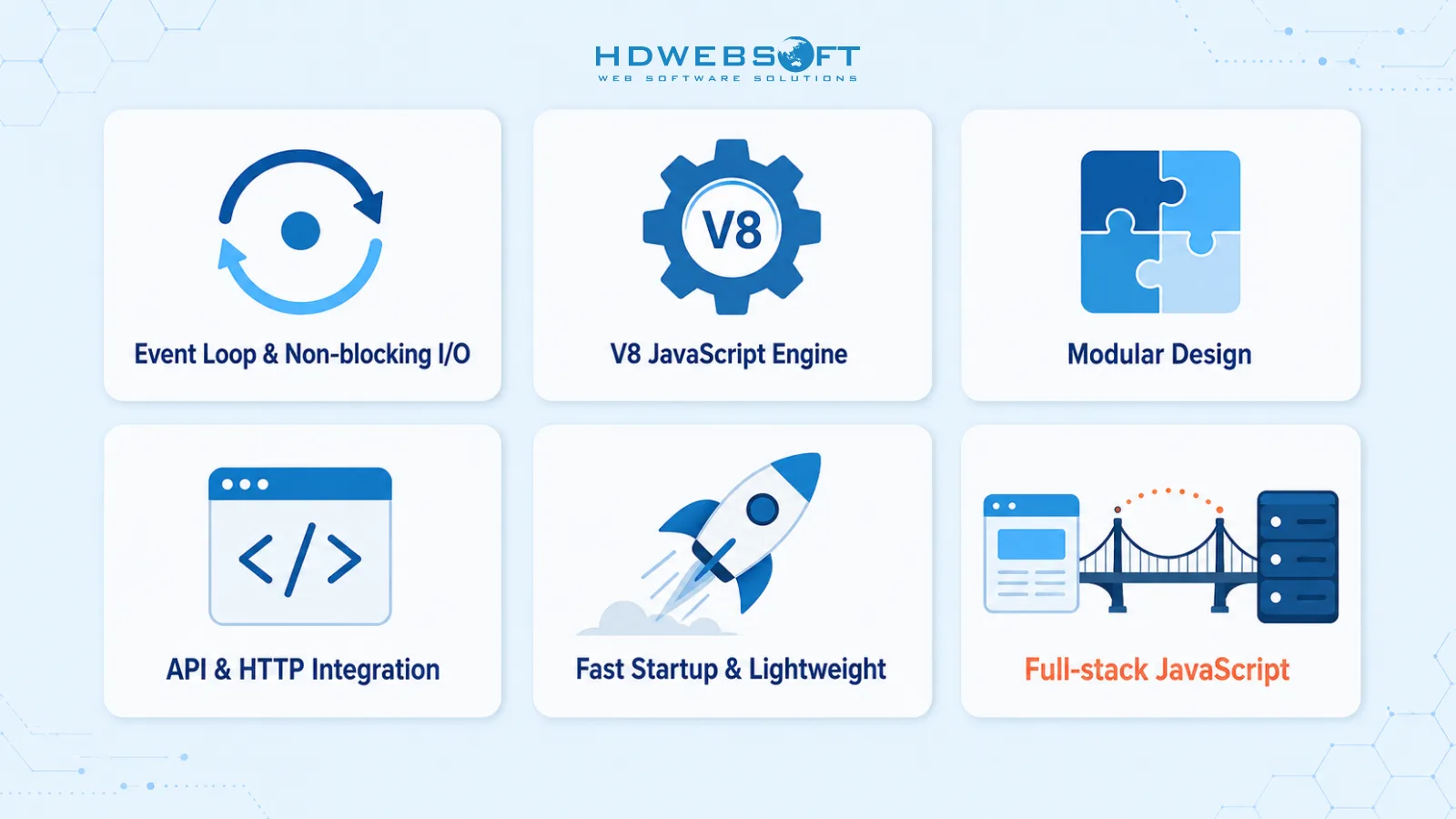
Node.js brings several properties that align well with microservices:
- Event Loop and Non-blocking I/O: Node.js uses a single-threaded event loop with non-blocking I/O. This allows a service to handle many concurrent requests efficiently without waiting for each operation to complete. For microservices that make frequent database calls, API requests, or real-time updates, this model reduces resource overhead.
- V8 JavaScript Engine: Node.js runs on the V8 JavaScript engine, which compiles JavaScript to machine code before execution. This delivers fast startup and consistent performance for API-driven services.
- Modular Design: Node.js has a built-in module system and a large package ecosystem through npm. Each microservice can manage its own dependencies independently, which supports the microservices principle of independent deployment and scaling.
- API and HTTP Integration: Node.js handles HTTP and API communication natively. Frameworks such as Express.js, Fastify, and NestJS provide routing, middleware, and request handling that make building API endpoints straightforward. This is useful for both external-facing APIs and inter-service communication.
- Fast Startup and Lightweight Footprint: Node.js services start quickly and consume relatively low memory compared to JVM-based runtimes. This makes them well-suited for containerized environments, serverless functions, and auto-scaling deployments.
- Full-stack JavaScript: Node.js uses JavaScript, the same language used in most frontend applications. This can reduce context switching for full-stack teams and make it easier to share types, validation logic, and API contracts between frontend and backend.
How Node.js Supports Common Microservices Challenges
Microservices introduce challenges that do not exist in monolithic applications. Node.js does not eliminate these challenges, but its design can help teams manage them.
Component Complexity
Microservices distribute application logic across many independent services, which increases operational complexity. Node.js encourages modular code organization through its module system. When combined with TypeScript, teams can enforce clear interfaces between modules and services, making the architecture easier to reason about. However, managing distributed components still requires discipline in service boundaries, deployment, and monitoring.
Dependency Management Across Services
In a microservices system, each service has its own dependencies, which can lead to version conflicts and security exposure. Node.js addresses this through npm and lockfiles. Each service manages its own package.json and package-lock.json, so dependencies are isolated per service. Teams should still run regular npm audit, pin major versions, and minimize unnecessary dependencies.
Service Communication
Microservices need to communicate reliably. Node.js supports multiple communication patterns through its ecosystem. For synchronous communication, services can use HTTP or gRPC. For asynchronous communication, Node.js works well with message brokers such as RabbitMQ, Apache Kafka, or Redis pub/sub. Its event-driven nature makes it a natural fit for event-based architectures, though teams must still handle message ordering, retries, and idempotency explicitly.
When to Choose Node.js for Microservices
Node.js is not the right choice for every microservices project. The decision should depend on the application’s requirements, the team’s skills, and the existing infrastructure.
Factors to Consider Before Choosing Node.js
- System Size and Complexity: Microservices are typically suited for large-scale applications with complex business logic and many independent components. For small applications, a modular monolith may be simpler and more cost-effective. Node.js can handle individual services well within a larger architecture, but adopting microservices only makes sense when the system is complex enough to justify the overhead.
- Business Logic and Performance Needs: Node.js excels in I/O-heavy, real-time, and API-driven workloads. If the services need to handle many concurrent connections, stream data, or serve APIs to multiple frontends, Node.js is a strong fit. For sustained CPU-heavy computation, other technologies may be more appropriate.
- Team Skills: Node.js microservices work best when the team has strong JavaScript or TypeScript experience. Full-stack JavaScript teams can benefit from sharing language and tooling across frontend and backend. However, the team still needs backend engineering skills, including databases, security, testing, and deployment.
- Infrastructure and Deployment Readiness: Microservices require containerization, orchestration, and CI/CD maturity. Node.js services are lightweight and containerize well with Docker, but the organization must be ready to manage multi-service deployment, monitoring, and scaling.
Node.js vs Python vs Java vs Go for Microservices
Node.js is one of several strong options for microservices. The right choice depends on the workload, team, and existing ecosystem. According to the official Node.js website, Node.js is designed for building scalable network applications, which aligns well with microservices.
Node.js
- Strengths: Event-driven, non-blocking I/O, fast startup, full-stack JavaScript, large npm ecosystem.
- Trade-offs: Single-threaded by default, not ideal for sustained CPU-heavy work, requires careful dependency management.
- Best for: API-driven services, real-time applications, I/O-heavy workloads, full-stack JavaScript teams.
Python
- Strengths: Simple syntax, rich ecosystem for data and AI, strong library support for scientific computing.
- Trade-offs: Slower runtime compared to compiled languages, dynamic typing can cause runtime errors in large systems.
- Best for: ML/AI services, data processing, services that benefit from rapid prototyping.
Java
- Strengths: Strong typing, mature enterprise ecosystem, JVM performance, robust tooling.
- Trade-offs: Higher memory consumption, slower startup, more verbose code.
- Best for: Complex mission-critical systems, organizations already invested in the JVM ecosystem.
Go
- Strengths: Compiled, fast startup, low memory footprint, built-in concurrency with goroutines.
- Trade-offs: Smaller ecosystem than Node.js or Java, less mature web frameworks.
- Best for: High-throughput services, low-latency systems, cloud-native deployments.
The Process of Building Node.js Microservices
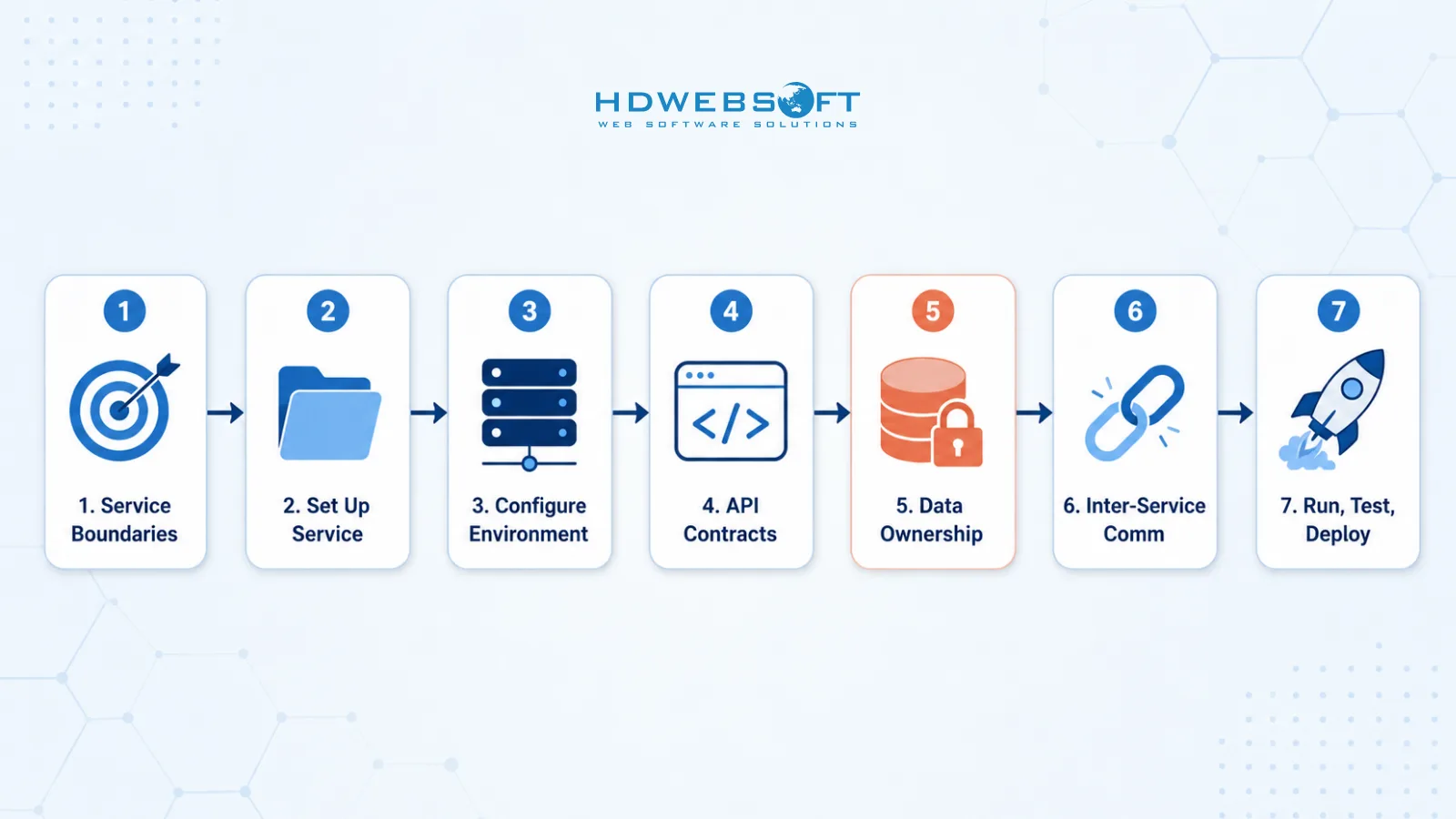
Building Node.js microservices involves a systematic process from planning to deployment. Each step builds on the previous one to create services that are independent, scalable, and maintainable.
1. Identify Business Objectives and Service Boundaries
The first step is to identify the business objectives of the application and define service boundaries. This involves analyzing the business domain and determining which capabilities should be grouped into individual services.
A practical approach is to use domain-driven design (DDD) and bounded contexts. Each bounded context represents a specific business capability with its own data and logic. For example, an eCommerce platform might have separate services for product catalog, order management, payment, inventory, and user accounts.
The goal is to define services that are small enough to be independently developed and deployed, but not so small that they become nanoservices with excessive operational overhead. Clear service boundaries reduce coupling and make the system easier to evolve.
2. Set Up the Node.js Service
Once service boundaries are defined, the next step is to set up each Node.js service. This involves choosing a framework, configuring the project structure, and installing dependencies.
Framework choice depends on the service’s complexity:
- Express.js: Minimal and flexible, best for lightweight services where the team wants full control over structure.
- Fastify: Performance-focused, best for services where raw throughput matters.
- NestJS: Opinionated and structured, best for enterprise-grade services that need dependency injection, modules, and built-in validation.
For production microservices, TypeScript is strongly recommended. It provides type safety, better refactoring, and clearer contracts between services. A typical project structure includes separate directories for routes, controllers, services, and tests, with each service maintaining its own package.json and lockfile.
3. Configure Server and Environment
Server configuration ensures that each service runs consistently across development, testing, and production environments.
Key aspects include:
- Environment Variables: Use environment variables for configuration such as database URLs, API keys, and service ports. Tools like dotenv help load configuration locally. This follows the 12-factor app methodology, where configuration is separated from code.
- Docker Containerization: Containerize each service with a Dockerfile to ensure consistent behavior across environments. A minimal Node.js Docker image keeps the service lightweight and fast to deploy.
- Health Check Endpoints: Expose
/healthand/readyendpoints so that orchestration platforms like Kubernetes can monitor service status and restart unhealthy instances automatically.
4. Define Routes and API Contracts
Each microservice exposes APIs that other services and clients consume. Defining clear API contracts early prevents integration problems later.
Key aspects include:
- API Design: Choose between REST for general-purpose APIs and gRPC for high-performance inter-service communication. REST is more common and easier to debug, while gRPC offers smaller payloads and stronger typing through protocol buffers.
- API Documentation: Use OpenAPI (Swagger) to document REST endpoints. This makes the service’s contract explicit and consumable by other teams and tools.
- API Versioning: Plan for versioning from the start, such as
/api/v1/products, so that changes do not break existing consumers.
5. Implement Business Logic and Data Ownership
This step involves implementing the core business logic of each service and defining how data is owned and managed.
Key principles include:
- Service-Owned Data: Each microservice should own its data and database. Avoid shared databases where multiple services read and write to the same tables, as this creates tight coupling and makes independent deployment difficult.
- Clear Separation of Concerns: Separate the controller layer, which handles HTTP requests and responses, from the service layer, which contains business logic. This makes the code easier to test and maintain.
- Input Validation: Use validation libraries such as Zod or Joi to validate incoming requests at the API boundary.
- Cross-Service Data Consistency: When data spans multiple services, avoid distributed transactions. Instead, use patterns such as the saga pattern or the outbox pattern to maintain consistency without tight coupling. Services should communicate changes through events rather than direct database access.
6. Integrate External APIs and Inter-Service Communication
Microservices rarely work in isolation. They call external APIs and communicate with other services. This step requires careful design to avoid cascading failures and unreliable behavior.
Key aspects include:
- Synchronous vs Asynchronous Communication: Synchronous communication (HTTP, gRPC) is simpler but creates temporal coupling between services. Asynchronous communication (message queues, event streams) decouples services but adds complexity in message handling. Choose based on the workload: use sync for request-response patterns, async for event-driven workflows.
- Timeouts: Always set explicit timeouts on HTTP and gRPC calls. Without timeouts, a slow or unresponsive service can block the caller indefinitely.
- Bounded Retries with Backoff: When retrying failed requests, use bounded retry counts with exponential backoff to avoid overwhelming a struggling service. Unbounded retries can turn a minor issue into a system-wide outage.
- Circuit Breakers: Use circuit breaker libraries such as opossum to stop calling a service that is consistently failing. This allows the failing service to recover and prevents cascading failures from spreading.
- Service-to-Service Authentication: Secure inter-service communication with authentication. Common approaches include mutual TLS, JWT tokens, or API keys. Never assume internal network traffic is inherently safe.
7. Run, Test, and Deploy
The final step is to run, test, and deploy the microservice. This involves local development, automated testing, and production deployment.
Key aspects include:
- Local Development with Docker Compose: Use Docker Compose to run multiple services together locally. This allows developers to test inter-service communication without a full production environment.
- Testing: Implement unit tests for business logic, integration tests for API endpoints, and contract tests to verify that services meet their API agreements. Tools like Jest, Mocha, and Supertest are commonly used in the Node.js ecosystem.
- CI/CD Pipeline: Automate building, testing, and deployment with CI/CD pipelines such as GitHub Actions or GitLab CI. Each service should have its own pipeline so that it can be deployed independently.
- Container Orchestration: Use Kubernetes or Docker Swarm to manage containerized services in production. Orchestration handles scaling, restarts, load balancing, and rolling updates.
- Observability: Implement structured logging with libraries like Winston or pino, distributed tracing with OpenTelemetry, and metrics with Prometheus. Observability is essential for debugging issues across distributed services.
Node.js Microservices Best Practices
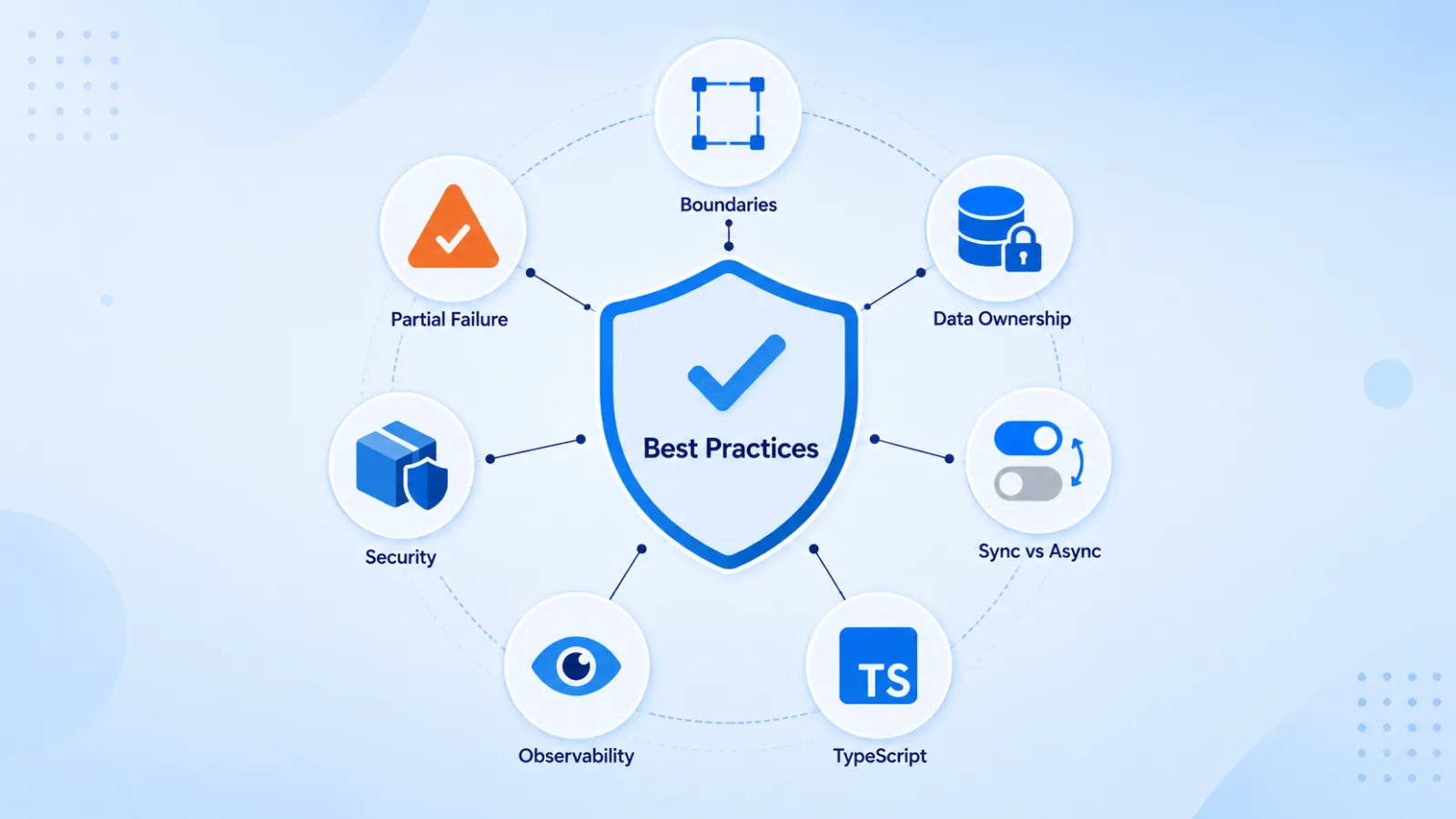
Following best practices helps teams avoid common pitfalls and build Node.js microservices that remain maintainable over time.
- Define Clear Service Boundaries: Each service should have a single, well-defined responsibility. Avoid god services that try to do too much. Use domain-driven design to guide boundary decisions.
- Enforce Explicit Data Ownership: Each service should own its data. Do not share databases between services. When services need each other’s data, use APIs or events, not direct database access.
- Choose Sync vs Async Communication Deliberately: Not every interaction needs to be synchronous. Use asynchronous communication for event-driven workflows and synchronous communication for direct request-response patterns. Mixing both is common, but the choice should be intentional.
- Use TypeScript for Production Services: TypeScript adds type safety, improves refactoring, and makes service contracts clearer. For microservices systems with many moving parts, this reduces runtime errors and improves team productivity.
- Invest in Observability Early: Logging, tracing, and metrics should be part of the initial build, not an afterthought. Distributed systems are difficult to debug without visibility into request flows and service health.
- Manage Security and Dependencies: Node.js has a large package ecosystem, which means dependency management is a security concern. Run regular
npm audit, pin versions, and review new dependencies before adding them. For detailed guidance, see our article on best practices for secure Node.js applications. - Design for Partial Failure: Assume that dependencies will fail. Use circuit breakers, timeouts, and graceful degradation so that one failing service does not bring down the entire system.
When Node.js Microservices May Not Be the Right Fit
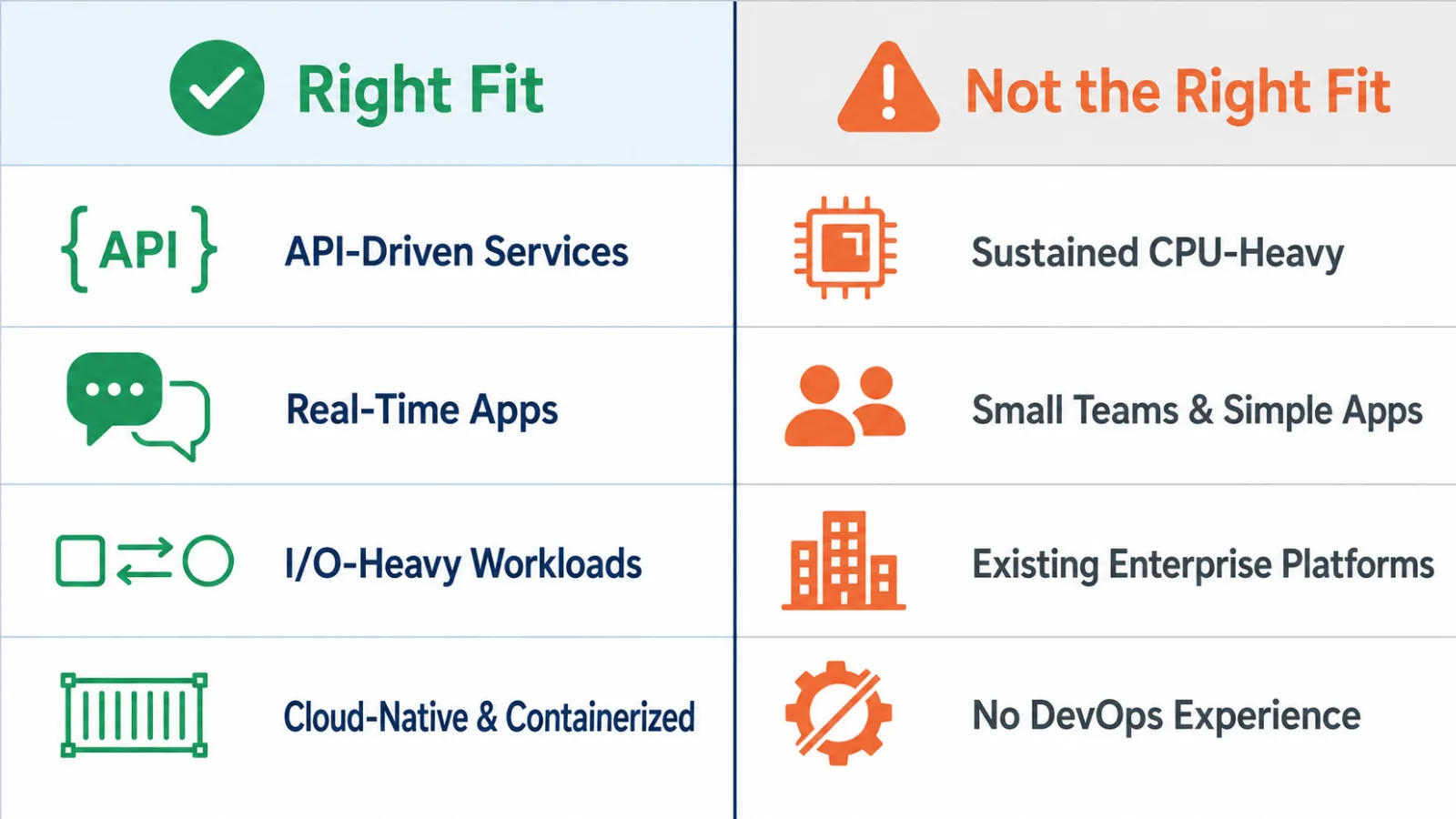
Node.js microservices are powerful, but they are not the right solution for every project. A good technology decision should consider both strengths and limitations.
- Sustained CPU-Heavy Workloads: Node.js is not usually the best choice for workloads that require sustained CPU computation, such as machine learning training, large-scale image or video processing, or complex mathematical modeling. The single-threaded event loop can handle short bursts of CPU work, but sustained computation may block the event loop and degrade responsiveness. For these workloads, Python, Go, Rust, or specialized processing services may be more appropriate.
- Small Teams and Simple Applications: Microservices add complexity in deployment, monitoring, testing, and service communication. For small teams or simple applications, a modular monolith is often a better starting point. Teams can extract microservices later when the system grows and the boundaries become clear.
- Existing Enterprise Platform Constraints: Organizations already standardized on JVM or .NET ecosystems may find it more practical to build microservices in Java, Kotlin, or C#. Introducing Node.js into these environments can create additional tooling, training, and operational overhead. Node.js is best adopted when the team and infrastructure can support it naturally.
- Teams Without DevOps Experience: Microservices require containerization, orchestration, CI/CD, and monitoring. Teams without DevOps experience may struggle with the operational overhead. Building DevOps capability first, or starting with a monolith, is often a more sustainable path.
Final Thoughts
Node.js microservices are a strong combination for systems that need scalability, independent deployment, and efficient I/O handling. Node.js fits microservices well because of its event-driven architecture, fast startup, lightweight footprint, and full-stack JavaScript ecosystem.
However, Node.js microservices are not a silver bullet. They require clear service boundaries, disciplined data ownership, reliable inter-service communication, and mature DevOps practices. For sustained CPU-heavy workloads, small teams, or organizations deeply invested in other enterprise platforms, a different approach may be more appropriate.
HDWEBSOFT provides Node.js development services for businesses that need scalable backend systems, microservices architecture, API development, and cloud-native applications. You can also hire Node.js developers from our team to accelerate your project. With the right architecture and development process, Node.js microservices can become a reliable foundation for modern software products.
FAQs About Node.js Microservices
What are Node.js microservices?
Node.js microservices are small, independent backend services built with Node.js that communicate through APIs, message queues, or events. Each service owns its data and can be deployed, scaled, and updated independently.
Is Node.js good for microservices?
Yes. Node.js is good for microservices when the system needs fast APIs, real-time features, high concurrency, or full-stack JavaScript development. It may not be the best fit for sustained CPU-heavy computation.
How do you build Node.js microservices?
Building Node.js microservices involves identifying service boundaries, setting up each service with a framework like Express or NestJS, configuring the environment, defining API contracts, implementing business logic with clear data ownership, integrating inter-service communication, and deploying with containers and CI/CD.
Which Node.js framework is best for microservices: Express, Fastify, or NestJS?
Express is best for minimal, lightweight services. Fastify is best when raw performance matters. NestJS is best for structured, enterprise-grade services that need dependency injection, modules, and opinionated architecture.
When should you avoid Node.js microservices?
You should be careful with Node.js microservices for sustained CPU-heavy workloads, small teams without DevOps experience, or organizations already standardized on JVM or .NET enterprise platforms.