Black Friday website performance optimization combines realistic load testing, frontend and backend optimization, checkout and payment reliability engineering, and accurate inventory synchronization across every sales channel. Page speed alone does not determine whether your store survives peak traffic — what matters is whether the entire transaction path, from product browsing to a confirmed order, holds up when thousands of customers act at once.
For e-commerce businesses, events like Black Friday, Cyber Monday, and seasonal flash sales are the highest-stakes operational windows of the year. This guide covers how to evaluate, test, and harden your platform before traffic arrives — focusing on the three failure areas that cost the most revenue: performance degradation, checkout and payment failures, and inventory synchronization issues.
While a scalable headless e-commerce architecture provides the foundation for handling high traffic, operational readiness requires additional attention to load testing, checkout reliability, and inventory synchronization. This article is about the operational side: how to test what you have, find where it breaks, and fix it before customers find it first.

Key Takeaways
- Black Friday website performance is a transaction-path problem, not just a page-speed problem — checkout reliability and inventory accuracy matter as much as load times.
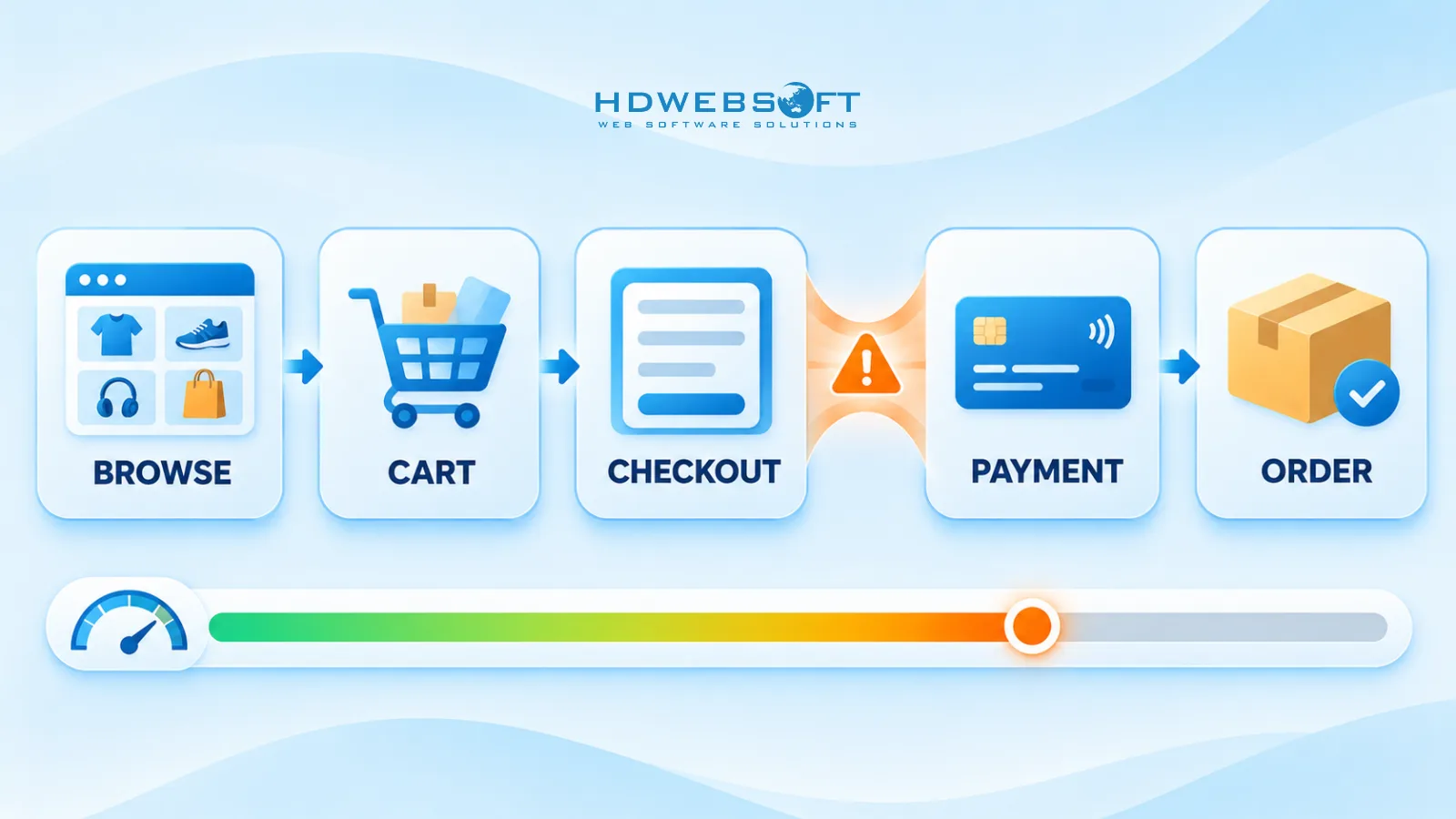
- Load tests must simulate real user journeys (browse → cart → checkout → payment), not homepage requests, or they will miss the bottlenecks that actually fail.
- Idempotent payment requests and graceful gateway timeouts prevent the duplicate charges and failed orders that spike during high-concurrency checkout.
- Overselling is a race condition — stock reservations at checkout plus event-driven synchronization across channels are the reliable fix.
- A readiness checklist with verifiable success criteria beats a vague “we tested it” — and a post-sale review turns every campaign into data for the next one.
Why Black Friday Exposes E-Commerce Performance Bottlenecks
Two things happen simultaneously during a peak sales event that do not happen on a normal day.
First, traffic volume multiplies. Marketing campaigns, email blasts, and paid ads all fire on the same schedule, compressing weeks of typical traffic into hours. Second — and this is the part teams underestimate — transaction concurrency multiplies even faster. During a flash sale, a disproportionate share of visitors is doing the same thing at the same time: hitting the same promoted products, adding to cart, and checking out within a narrow window.
That distinction matters because different parts of the system absorb different pressure. High traffic volume stresses the frontend, CDN, and catalog APIs. High transaction concurrency stresses the checkout path, payment gateway calls, inventory writes, and order processing — the parts that are hardest to cache and most expensive to break.
The failure modes follow predictably: frontend loading delays and rising API latency as shared resources saturate, database connection pools and locks becoming bottlenecks under write pressure, technical checkout failures that convert directly into lost revenue and abandoned carts, and inventory race conditions where two customers buy the same last unit. Payment providers add their own constraints — timeouts, rate limits, and occasional degraded service exactly when your volume peaks.
None of these are mysterious. All of them are testable in advance, which is the point of the sections that follow.
E-Commerce Performance Optimization Before Peak Traffic
Before simulating traffic, close the obvious gaps. E-commerce performance optimization splits into work you can finish in weeks and work that belongs on a longer roadmap — knowing which is which prevents teams from starting a re-architecture three weeks before Black Friday.
Frontend Optimization
- Core Web Vitals under load. Measure Largest Contentful Paint and Interaction to Next Paint at realistic traffic, not on an idle staging environment. Scores that look fine locally degrade quickly when backend latency rises.
- Image optimization. Serve responsive images in modern formats, lazy-load below-the-fold content, and pre-generate variants — do not resize on the fly during a sale.
- Static asset caching. Push cacheable assets to the CDN with explicit cache headers. Every cache hit at the edge is a request your origin never sees.
- Third-party scripts. Audit tag managers, chat widgets, analytics, and personalization scripts. Each one adds latency and each external dependency is a potential point of failure you do not control.
Backend Optimization
- Database queries. Profile the queries that run during browsing and checkout — slow catalog queries, N+1 patterns, and unindexed lookups are the first things to collapse under load.
- Connection pools. Size database and service connection pools deliberately. A pool that is too small queues requests; too large exhausts the database itself.
- API response times. Measure the APIs on the transaction path — product, pricing, cart, checkout, payment — individually. The slowest one defines the customer experience.
- Caching strategy. Product catalog and pricing data cache well and tolerate short staleness. Personalized content and cart state do not — cache them per-user, per-session, or not at all.
Quick Wins vs. Structural Work
Configuration changes, query optimization, cache tuning, and CDN rules are quick wins — days to weeks of effort. Anything involving re-architecting services, changing data stores, or splitting the checkout path is structural work and belongs on the post-season roadmap. If a bottleneck cannot be fixed before the sale, the correct move is to test it, learn its limits, and build mitigation around it — not to start the rebuild anyway.

E-Commerce Load Testing: Simulating Black Friday Traffic
E-commerce load testing answers a specific question: at what traffic level does your transaction path start failing, and how does it fail? Running realistic tests weeks before the sale gives you time to fix what you find — running them the week of the sale only tells you what is about to go wrong.
Load Testing vs. Stress Testing vs. Spike Testing
| Test type | What it does | When to use it |
|---|---|---|
| Load test | Applies expected peak traffic and verifies the system meets performance targets | Every campaign — establishes the baseline go/no-go answer |
| Stress test | Pushes traffic beyond expected peak until the system breaks | To find the breaking point and observe failure modes safely |
| Spike test | Ramps traffic sharply — near-zero to peak in minutes | Flash sales and timed drops where arrival rate is the real stress |
A load test confirms your system works at the volume you predict. A stress test tells you how much headroom you actually have and — just as valuable — whether the system degrades gracefully or collapses. A spike test matters most for Black Friday because traffic does not arrive gradually; it arrives when the email campaign sends.
One rule applies to all three: test user journeys and transaction workloads, not homepage requests. A test that hammers your homepage will report healthy numbers while the checkout API quietly falls over. The metrics that matter live in the transaction path, so that is what you simulate.
Building Realistic E-Commerce Test Scenarios
Realistic scenarios model what customers actually do, in the proportions they do it:
- Browse-heavy traffic. The majority of users browse product pages, category pages, and search without buying. Model this at the largest share of virtual users — it stresses catalog APIs, search, and CDN behavior.
- Cart and checkout flows. A smaller but critical share adds to cart, enters checkout, and completes payment. These sessions hold state, hit databases with writes, and call third-party services — the expensive operations.
- Concurrent checkout sessions. Model hundreds of simultaneous checkouts against real session behavior, including users who hesitate, go back, and retry.
- Flash-sale inventory contention. Point many concurrent buyers at the same low-stock product. This is the scenario that surfaces overselling race conditions.
- Third-party latency. Inject realistic delays into payment gateway, shipping calculator, tax service, and inventory API calls. If your test assumes instant third-party responses, it is not testing production.
- Dependency failures. Fail the payment sandbox outright for intervals. Your system should degrade predictably, not hang.
Run payment flows against gateway sandboxes or mocks — never process real transactions in a test, and never point a load test at a provider’s production endpoint without their explicit approval.
Metrics That Matter During Load Testing
- Latency percentiles. p50 tells you the typical experience; p95 and p99 tell you what the tail looks like — and during a sale, the tail is a large number of customers. Track percentiles per journey step, not as a site-wide average.
- Error rates. HTTP errors, checkout API errors, and payment failures, each measured separately.
- Throughput. Requests per second is the headline metric, but successful orders per minute is the one that correlates with revenue.
- Resource saturation. CPU, memory, database connections, thread and connection pool utilization, and queue depth — these show which component will break first.
- Business metrics. Checkout completion rate and payment failure rate under load. Infrastructure can look healthy while customers cannot buy.
When traffic exceeds capacity, systems need a defined overload behavior — queueing, shedding low-priority requests, or serving degraded responses — rather than uncontrolled failure. The Google SRE book’s chapter on handling system overload describes the standard techniques: load shedding, graceful degradation, and client-side throttling.
Optimizing Checkout Performance and Payment Reliability
Checkout is where performance problems become revenue problems. A slow product page costs engagement; a slow or failing checkout costs completed orders — and it costs them at the moment of maximum intent.
Start with checkout API latency. Every step on the path — cart validation, shipping calculation, tax lookup, payment authorization, order creation — is a network call with its own latency and failure modes. Measure each step separately during testing, because the aggregate number hides the real bottleneck. A checkout that takes eight seconds usually has one step taking six.
Payment gateway behavior under load deserves particular attention:
- Timeouts. Payment providers impose their own timeouts and rate limits. Your checkout must treat a gateway timeout as a first-class scenario — what does the customer see, what happens to the order, what gets retried?
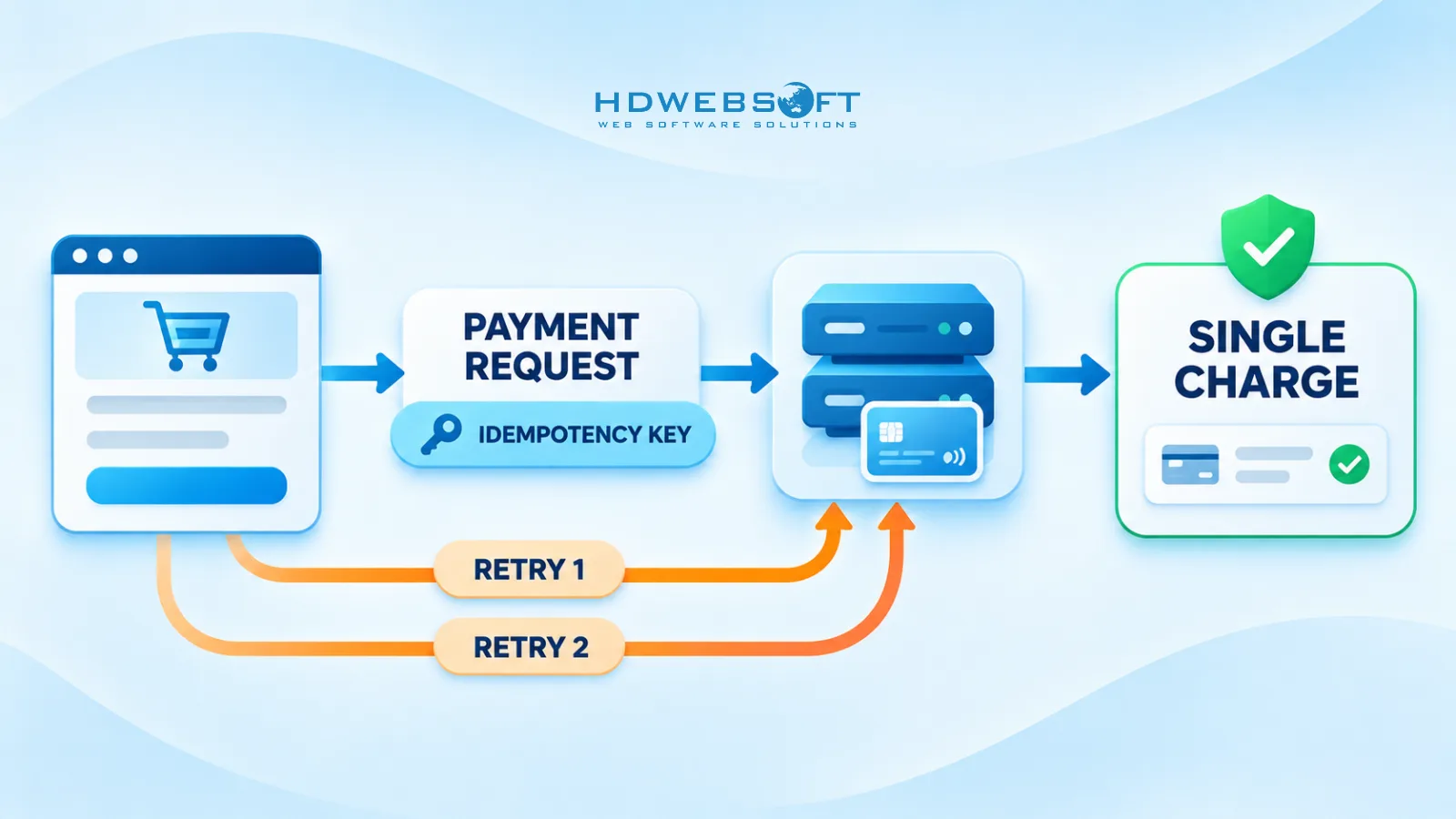
- Retries and duplicate requests. Users double-click submit buttons. Browsers retry failed requests. Your own client code retries. Without deduplication, each of those becomes a potential duplicate charge.
- Idempotency. The standard fix is an idempotency key: a unique identifier per payment attempt that lets the provider recognize a retried request as the same transaction. Stripe documents the pattern in its guide to idempotent payment requests, and most major providers support an equivalent mechanism.
- Graceful failure. When the payment provider is down or unreachable, the right behavior is a clear customer message, a preserved cart, and an order held in a recoverable state — not a spinning screen and a lost basket.
Monitor checkout error rates and transaction failures in real time during the sale, with alerting thresholds. These metrics deserve a place on the incident dashboard next to CPU graphs — they are the earliest signal that revenue is leaking.
A necessary distinction: this section covers technical checkout optimization — latency, reliability, and failure handling. UX and conversion-rate checkout optimization (form fields, page layout, trust signals) is a different discipline with different owners. Both matter; do not confuse one for the other.
Keeping Inventory and Orders Accurate Across Sales Channels
Inventory is the failure mode teams discover after the sale, in the form of oversold products, cancelled orders, and apology emails. It happens because of a race condition: two customers check out against the same stock unit, and both transactions complete before either updates the count.
The problem compounds across channels. When your website, physical POS, and marketplace listings share a stock pool, inventory synchronization lag is overselling by another name — each channel sees a stale count and sells against it independently.
The controls that work:
- Stock reservation at checkout. Reserve the unit when checkout begins, not when payment completes. A reservation that expires on a timer prevents held stock from accumulating while still protecting the buying window.
- Atomic decrements. Inventory updates must be atomic operations — conditional writes or database-level decrements — never read-then-write sequences that two transactions can interleave.
- Event-driven updates. Stock changes should propagate as events to every channel immediately, not on a polling schedule measured in minutes. During a flash sale, minutes are entire overselling windows.
- Queue-based order processing. Buffer order creation through a queue so bursts of confirmed payments cannot overwhelm the inventory service simultaneously.
- Post-sale reconciliation. Whatever the architecture, run reconciliation after the event: compare orders against decremented stock per channel and resolve mismatches before fulfillment creates a cancellation problem.
HDWEBSOFT implemented this pattern in practice for a seller workspace platform — integrating WooCommerce storefronts with a centralized inventory and POS layer so stock stayed consistent across online and physical channels. The WooCommerce and POS inventory synchronization case study covers the integration approach in detail.
Managing inventory across multiple sales channels? Explore how HDWEBSOFT supported WooCommerce and POS integration to streamline inventory synchronization and order management.
Managing AI Customer Support During Peak Sales
AI chatbots earn their keep during peak sales by absorbing the volume of routine inquiries — order tracking, shipping status, delivery estimates, FAQs — that would otherwise bury a human support team. But they carry their own operational limits.
Chatbot response latency degrades under the same load that stresses everything else. Underlying AI APIs enforce rate limits and can return errors or slow responses precisely when inquiry volume peaks. The support automation that works at normal volume may time out under sale volume.
Two principles keep AI support safe during peak events:
- Fallback behavior. When the AI service is degraded, the system should degrade to a defined state — a queued human response, a static FAQ, or a clear “we will reply shortly” message — not an error or silence.
- Human escalation paths. Payment disputes, failed charges, refund requests, and order errors should route to humans quickly. These are the inquiries where a wrong or delayed automated answer does real damage.
Keep AI customer support decoupled from critical transaction processes. The chatbot should never share a hard dependency with checkout or payment flows — an overloaded support service must not be able to take the transaction path down with it.
Black Friday E-Commerce Technical Readiness Checklist
A readiness checklist turns “we think we’re ready” into a series of verifiable checks. The criteria below are deliberately stated as verifications rather than universal thresholds — the right latency target, capacity multiple, and acceptable error rate depend on your platform, your traffic forecast, and your business tolerance. Define your own numbers; these checks confirm you actually meet them.
| Area | Technical Check | Success Criteria | Go/No-Go |
|---|---|---|---|
| Website & Backend Performance | Load test at forecast peak traffic | Sustains target throughput with latency inside your defined budgets | ☐ |
| Website & Backend Performance | Stress test beyond forecast | Breaking point identified; system degrades gracefully, not catastrophically | ☐ |
| Website & Backend Performance | CDN and cache coverage | Static and catalog assets served from edge; origin offload verified | ☐ |
| Website & Backend Performance | Database and connection pool sizing | No pool exhaustion or lock contention at peak test load | ☐ |
| Checkout & Payment | End-to-end checkout under concurrent load | Checkout completion rate holds within your target under test traffic | ☐ |
| Checkout & Payment | Payment idempotency | Retried and double-submitted payments produce a single charge | ☐ |
| Checkout & Payment | Gateway failure simulation | Provider timeouts and outages produce graceful customer-facing behavior | ☐ |
| Inventory & Orders | Flash-sale contention test | No overselling under concurrent purchases of low-stock items | ☐ |
| Inventory & Orders | Cross-channel stock sync | Stock changes propagate to all channels within your defined lag budget | ☐ |
| Inventory & Orders | Order reconciliation plan | Post-sale reconciliation procedure defined and scheduled | ☐ |
| Monitoring & Incidents | Real-time dashboards and alerts | Latency, error rate, checkout completion, and payment failures alerting live | ☐ |
| Monitoring & Incidents | Incident runbook | Escalation ownership, rollback plan, and degradation switches documented | ☐ |
Any row that cannot be checked off is either a fix to make now or a known risk to plan around — both are better answers than discovering it during the sale.
Incident Response and Post-Sale Performance Review
Preparation reduces incidents; it does not eliminate them. How the team behaves during the event matters as much as the testing that preceded it.
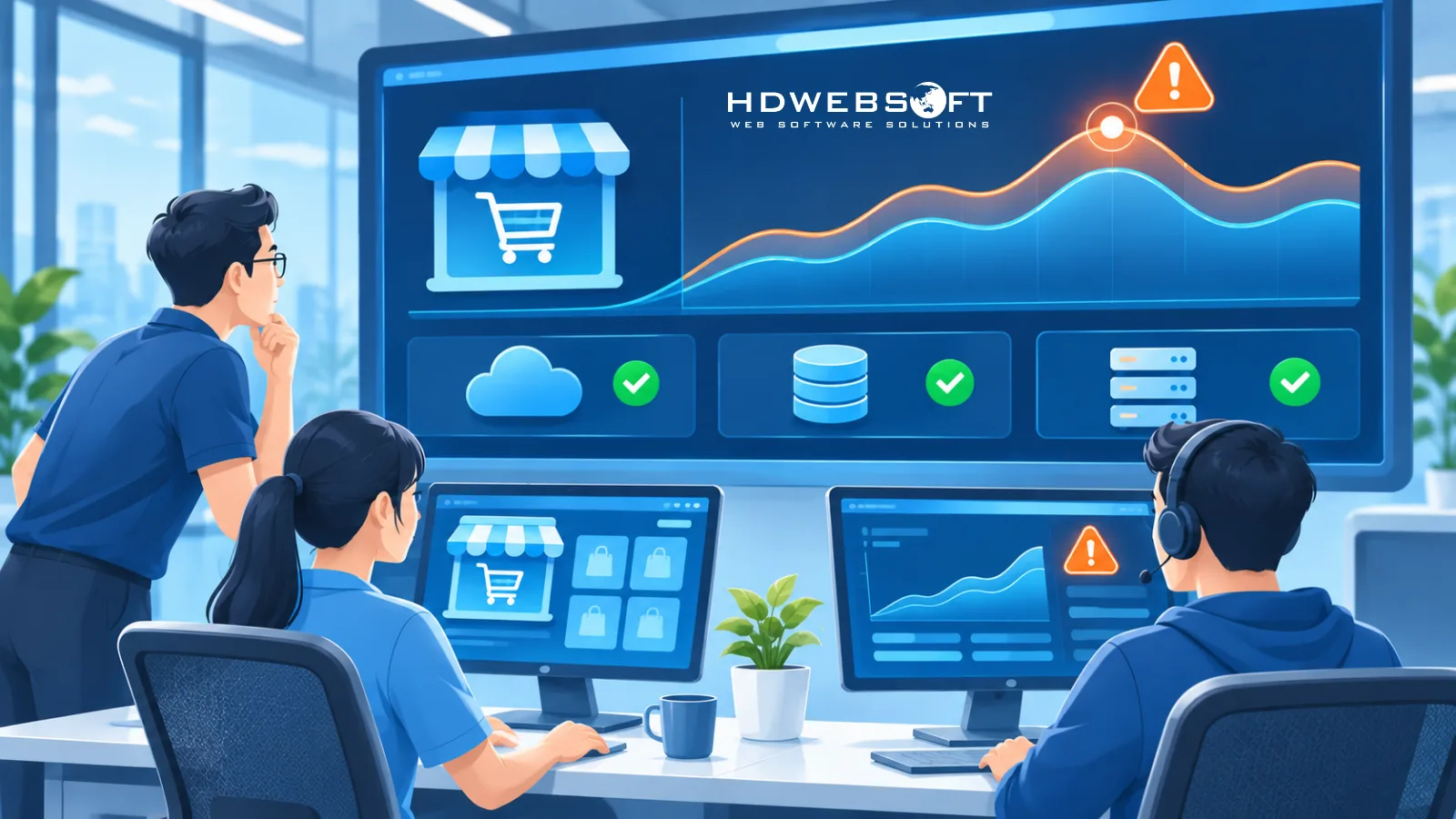
During the sale, real-time monitoring is the operating picture. Dashboards covering latency, error rates, checkout completion, payment failures, and infrastructure saturation should be watched continuously — with alerts tuned tightly enough to catch degradation before customers report it. Assign incident ownership explicitly: who watches, who decides, who executes a rollback or a degradation switch, and who communicates. Escalation paths agreed in advance are minutes saved when it counts.
When load exceeds capacity anyway, graceful degradation is the safety valve. Defined degradation switches — disabling personalization, pausing recommendation widgets, queueing non-critical features — let you shed load deliberately instead of failing randomly. These switches should be tested beforehand, not invented mid-incident.
After the sale, the review is where the investment pays forward:
- Performance analysis. Where did latency percentiles land versus targets? Which components saturated first?
- Checkout and payment review. Count failed transactions, timeout rates, and payment provider incidents — each one has a revenue value attached.
- Inventory audit. Reconcile orders against stock across every channel; investigate every mismatch.
- Support bottleneck review. Which inquiry types overwhelmed the team or the automation?
- Improvement backlog. Convert every finding into a concrete engineering task for the next event.
Reliability engineering treats these practices as continuous disciplines, not pre-holiday projects. The AWS Well-Architected Reliability Pillar provides a useful framework for failure recovery and operational improvement that applies well beyond AWS-hosted systems.
Conclusion: Building E-Commerce Performance Beyond Black Friday
Black Friday is the most demanding stress test most e-commerce platforms face all year — but the work that determines whether you pass it does not happen in November. E-commerce performance is a year-round engineering discipline: realistic load testing, reliable checkout and payment handling, and accurate inventory synchronization across channels are operational capabilities, not campaign checklists.
The teams that treat each peak event as data — measured, reviewed, and fed into the next improvement cycle — are the ones whose platforms get stronger every season instead of luckier. That is also the difference between optimization as a one-off project and performance engineering as an ongoing practice.
If your platform needs deeper work than configuration tuning — load testing programs, checkout reliability engineering, or system integration — HDWEBSOFT’s e-commerce software development services cover exactly this territory. Contact our team to scope a readiness assessment for your next peak event.
FAQ
How do you load test an e-commerce website for Black Friday?
Build test scenarios that replay real user journeys — product browsing, search, add-to-cart, checkout, and payment — rather than only sending requests to the homepage. Run load tests at expected peak volume, stress tests to find the breaking point, and spike tests that simulate flash-sale traffic ramps. Use payment gateway sandboxes so no real transactions occur.
What metrics matter most during e-commerce load testing?
Track p95 and p99 response latency, error rates, requests per second, and successful orders per minute. On the infrastructure side, watch CPU, memory, database connection pools, and queue depth. Most importantly, measure checkout completion rate and payment failure rate — infrastructure metrics alone do not show whether customers can actually buy.
How do you prevent duplicate payments during traffic spikes?
Use idempotency keys on payment requests so that retried submissions — whether from impatient users clicking twice or from client-side retry logic — resolve to a single charge. Payment providers such as Stripe support idempotent requests natively. Combine this with disabled submit buttons after the first click and server-side deduplication on order creation.
What causes overselling during flash sales, and how do you prevent it?
Overselling happens when two customers check out against the same stock unit before inventory updates — a race condition between the cart, checkout, and inventory services. Prevention requires stock reservation at checkout time, atomic inventory decrements, event-driven stock updates across sales channels, and post-sale order reconciliation to catch any remaining mismatches.
What should a Black Friday readiness checklist include?
Four areas: website and backend performance (caching, CDN, database capacity verified by load test), checkout and payment reliability (idempotent payments, graceful gateway timeouts, error monitoring), inventory and order synchronization (reservations, cross-channel sync, reconciliation plan), and incident readiness (alerting, escalation ownership, rollback and degradation plans).