DevOps tools are software tools that automate, integrate, or govern the stages of the DevOps lifecycle — from planning and source control through continuous integration, continuous delivery, deployment, operation, and monitoring. No single tool covers the full lifecycle. A DevOps toolchain is the set of tools you connect across these stages, and its value comes from how well the tools integrate, not from picking the highest-rated tool in each category.
In 2026, the tool landscape is larger and more complex than when DevOps first gained traction. Cloud-native architecture, infrastructure as code, observability, and DevSecOps have expanded the categories a team needs to cover. Tool selection has become a governance problem as much as a technical one: teams do not lack options — they lack a framework for choosing, integrating, and retiring tools without creating sprawl.
This guide covers the seven core categories of a DevOps toolchain, the hidden cost of tool sprawl, the trade-off between open toolchains and integrated platforms, and a five-step framework for choosing tools that fit your team.
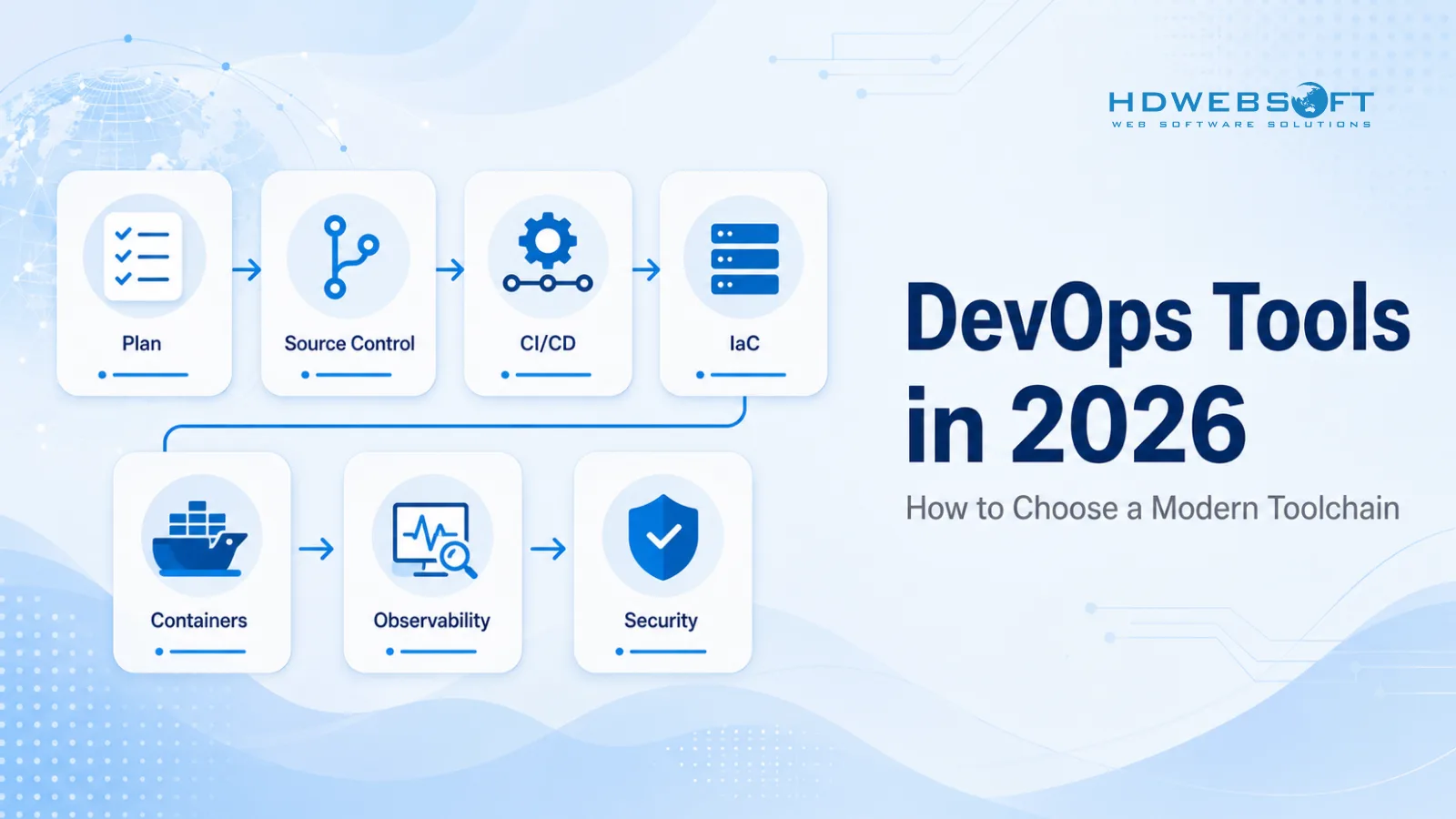
Key Takeaways
- DevOps tools span seven core categories: plan and collaborate, source control, CI/CD, configuration management and infrastructure as code, containers and orchestration, observability and monitoring, and security and policy (DevSecOps). No single tool covers all of them.
- Tool sprawl happens when teams adopt tools bottom-up without governance. It raises licensing cost, breaks visibility, slows onboarding, and creates security blind spots.
- A working toolchain depends on integration — open APIs, plugins, and standards-based contracts — more than on picking the best individual tool in each category.
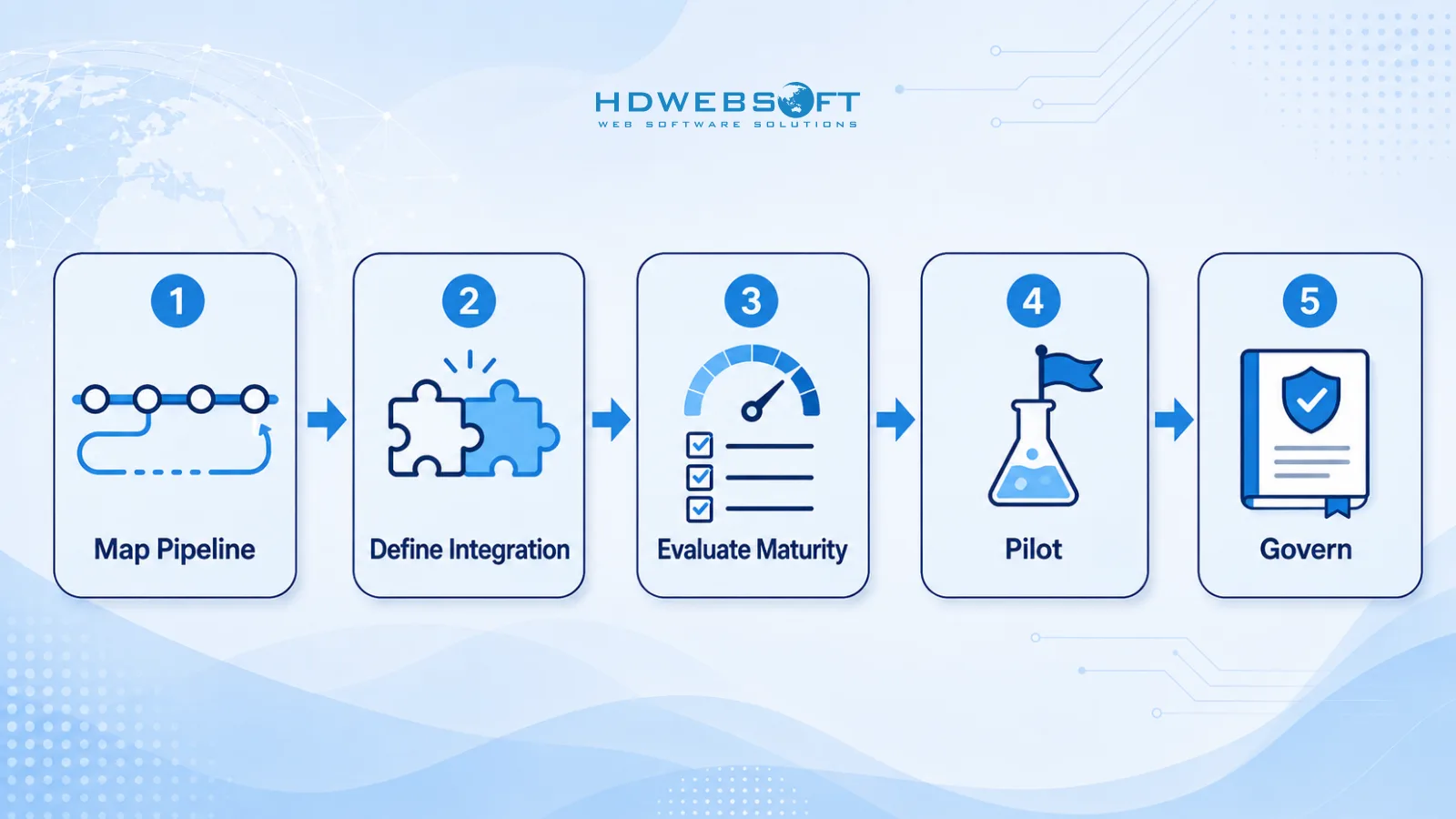
- Choose tools by mapping your pipeline stages, defining integration and support requirements, evaluating maturity, piloting with a real team, and governing lightly through a tool catalog and policy-as-code.
- Open toolchains and integrated platforms each have real trade-offs. Open toolchains survive tool churn better; integrated platforms reduce integration effort but can create lock-in.
- Enterprises facing unmanageable sprawl, persistently slow pipelines, repeated security audit failures, or stalled cloud-native adoption often benefit from an external DevOps partner.
What Are DevOps Tools?
DevOps tools are software tools that automate, integrate, or govern one or more stages of the DevOps lifecycle — from planning and source control through build, test, release, deployment, operation, and monitoring. A DevOps tool is rarely a single product that covers everything. It is one piece of a toolchain, and the toolchain is what delivers value.
The term is broader in 2026 than when DevOps first emerged. The early conversation centered on a few names — Jenkins, Chef, Puppet — handling build automation and configuration management. Today the toolchain spans infrastructure as code, container orchestration, observability, security scanning, policy enforcement, and AI-assisted operations. Teams running multi-model AI workloads also need an LLM gateway alongside their DevOps toolchain to route, observe, and govern model traffic. Tool selection is a system-level decision: choosing a CI/CD platform affects which container registry and security scanning tools you can integrate cleanly; choosing an observability stack affects which instrumentation standard your application code must follow. The categories below break the toolchain into manageable parts, but the integration between them is where the real engineering work lives.
The Seven Core Categories of a DevOps Toolchain
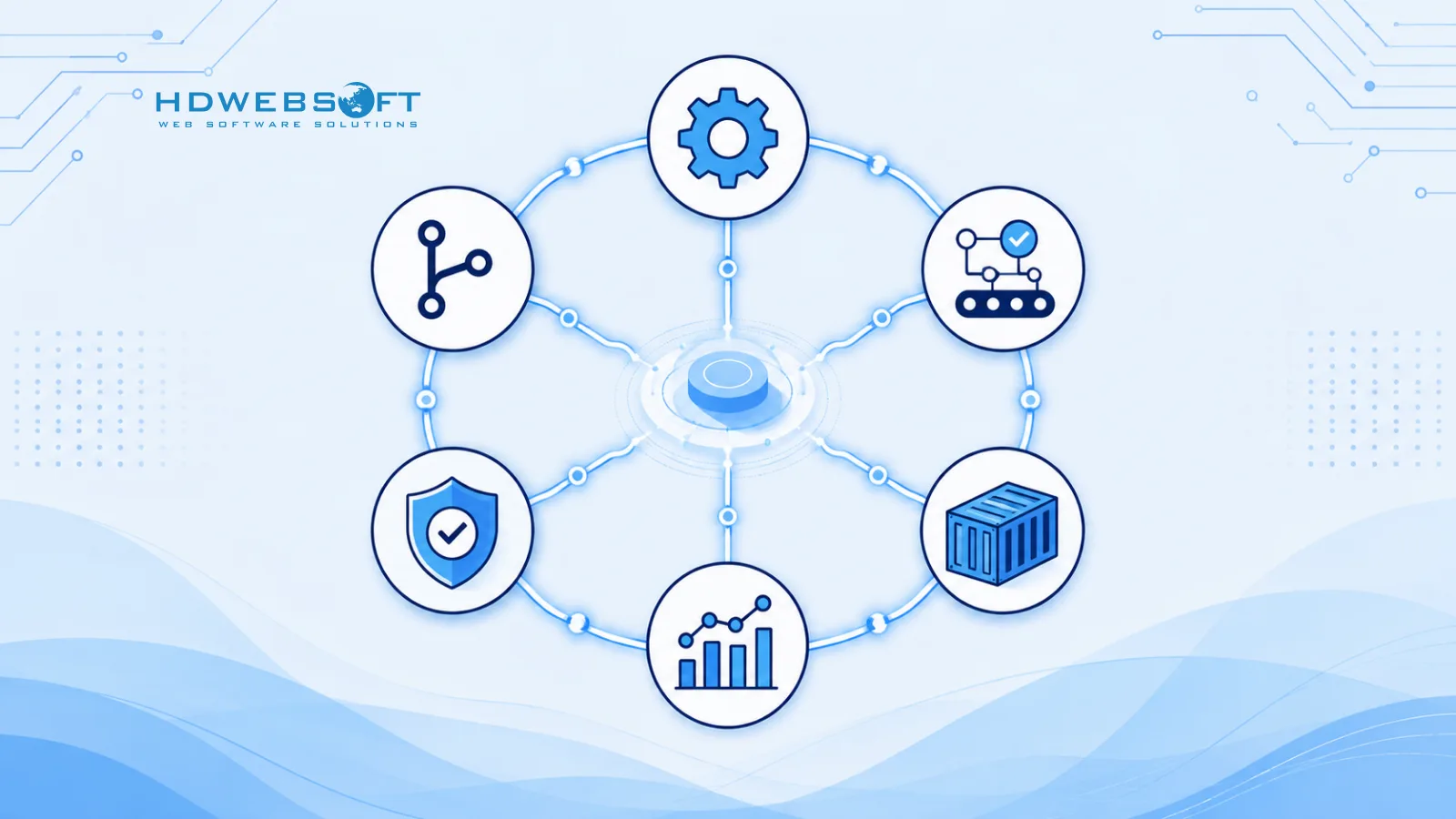
A modern DevOps toolchain covers seven categories. Each category solves a specific problem in the lifecycle, and most teams need at least one tool in each.
| Category | What it solves | Examples (2026) |
|---|---|---|
| Plan and collaborate | Backlog, sprints, traceability from ticket to commit | Jira, Linear, Azure Boards |
| Source control | Versioning, branching, code review | Git, GitHub, GitLab, Bitbucket |
| CI/CD | Build, test, and release automation | GitHub Actions, GitLab CI, Jenkins, CircleCI |
| Configuration management and IaC | Infrastructure as code, drift detection, reproducible environments | Terraform, OpenTofu, Ansible, Pulumi |
| Container and orchestration | Packaging, scheduling, scaling | Docker, Kubernetes, Helm |
| Observability and monitoring | Metrics, logs, traces, alerts | Prometheus, Grafana, OpenTelemetry, Datadog |
| Security and policy (DevSecOps) | SAST, SCA, secrets scanning, policy gates | Snyk, Trivy, Open Policy Agent, HashiCorp Vault |
These categories are not rigid. Many tools cross category boundaries — GitLab provides source control, CI/CD, and security scanning in one platform; GitHub has followed the same path. The categories exist to help you reason about coverage and gaps, not to force a one-tool-per-box mental model.
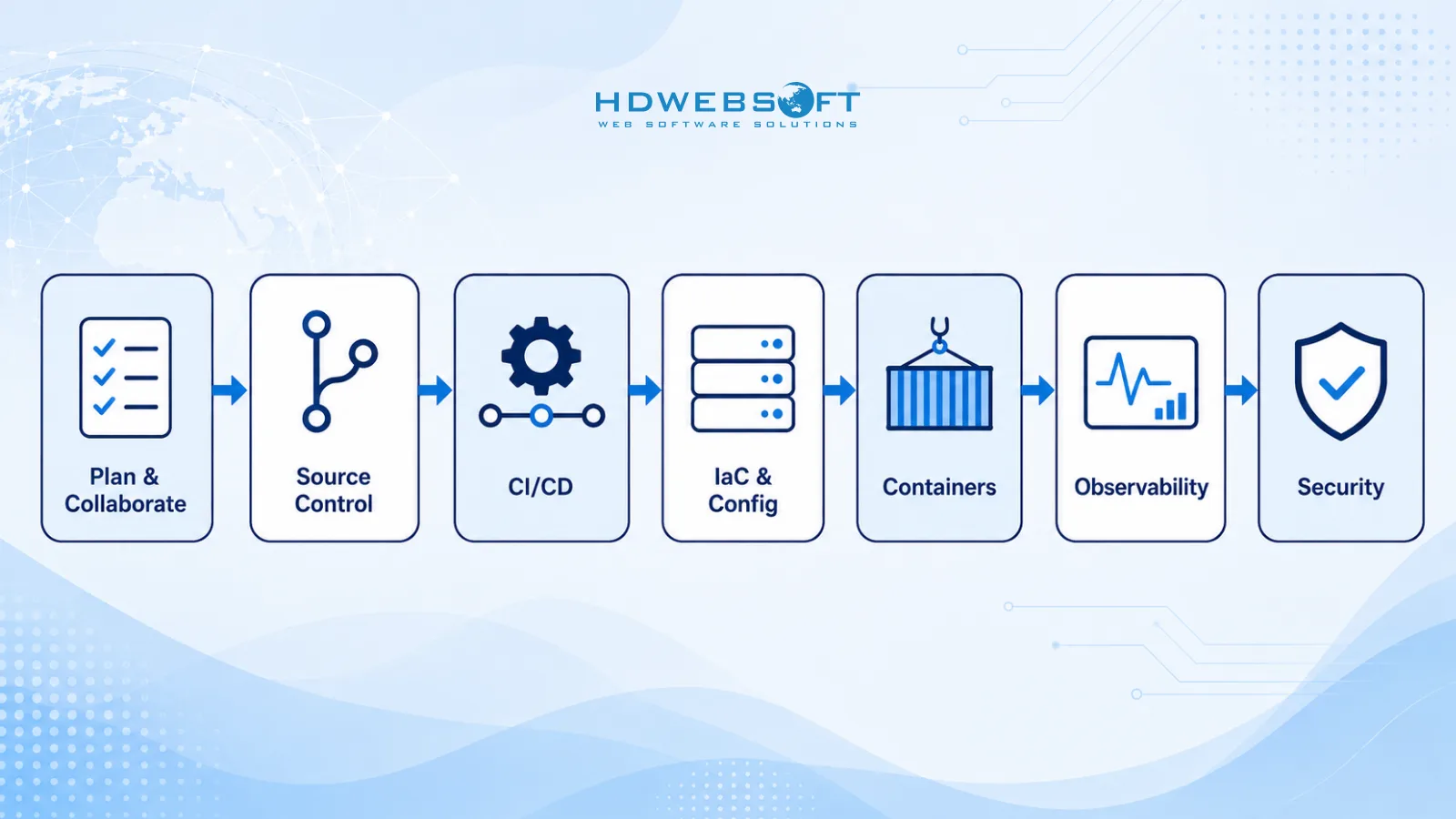
What Each Category Solves
Plan and Source Control
Plan tools keep the backlog visible and connect engineering work to business priorities. The integration between plan and source control is what makes traceability possible — a commit message referencing a ticket ID creates a link from business intent to code change to deployment. Source control is the foundation of the toolchain. Git is the de facto version control system in 2026, and the practical choice is between hosting platforms — GitHub, GitLab, Bitbucket, or a self-hosted server. The branching strategy (trunk-based, GitFlow, or a variant) often matters more than the platform, because it determines how merge conflicts and hotfixes flow through the pipeline. The common pain point is a broken link between plan and source control: when commits do not reference tickets, traceability disappears and incident postmortems become harder.
CI/CD: The Heart of the Toolchain
CI/CD is the category that everything else plugs into. Continuous integration runs builds and tests on every commit. Continuous delivery produces a deployable artifact from every successful build. Deployment automation pushes that artifact to a target environment. In 2026, the widely adopted pattern is pipeline-as-code: the pipeline definition lives in a YAML file inside the repository, versioned alongside the application code. Ephemeral runners — fresh build environments created per job and destroyed afterward — have become common for security and consistency. The common pain points are slow pipelines, flaky tests that erode trust in build results, and lack of visibility into build health. These are usually process and test-design problems, but the tool choice determines how hard they are to fix — a platform with good caching, parallel execution, and selective test running makes optimization practical.
Configuration Management and Infrastructure as Code
Infrastructure as code (IaC) turns infrastructure provisioning into a versioned, reviewable, reproducible process, solving drift, reproducibility, and auditability. Terraform is a commonly used IaC tool with a large module ecosystem and broad provider support. After HashiCorp changed the Terraform license in 2023, the Linux Foundation launched OpenTofu as a community-governed fork, and adoption has grown among teams that prefer an open-source license. Ansible is agentless and imperative, making it practical for configuration management on existing servers. Pulumi supports general-purpose programming languages for infrastructure definitions. The common pain points are state file management, drift between environments, and secrets leaking into state files — operational discipline problems where the tool choice determines how much discipline is required.
Containers and Orchestration
Containers solve the “works on my machine” problem by packaging an application with its dependencies into a portable unit. Docker is the container format that most toolchains build on. Kubernetes is a widely adopted orchestration platform — 80% of organizations ran it in production in 2024, up from 66% in 2023 — with a large ecosystem, managed offerings from every major cloud provider, and an active community under the Cloud Native Computing Foundation. It is not the only option — managed container services and serverless platforms fit some workloads better — but it is the most common choice for teams running multiple services across multiple environments. A growing trend is platform engineering on top of Kubernetes — internal developer platforms (such as Backstage) that abstract Kubernetes complexity away from application teams. The common pain points are Kubernetes complexity, cost overrun from over-provisioned clusters, and a shortage of in-house expertise — reasons to be honest about whether your team can operate Kubernetes directly or needs a managed platform.
Observability and Monitoring
Monitoring tells you when something is wrong. Observability helps you understand why. The distinction matters because modern distributed systems fail in complex ways that simple threshold-based alerts cannot explain. OpenTelemetry is increasingly adopted as an instrumentation standard for metrics, logs, and traces, supported by major observability vendors and cloud providers. The Prometheus and Grafana stack is a commonly used open-source combination for metrics and dashboards. Managed platforms such as Datadog, New Relic, and Dynatrace provide broader out-of-the-box coverage at a commercial cost. The common pain points are alert fatigue, missing traces that make root-cause analysis slow, and log storage cost that grows faster than the team’s budget.
DevSecOps: Security Inside the Pipeline
DevSecOps means shifting security left — running security checks inside the CI/CD pipeline instead of as a separate audit before release. The categories include static application security testing (SAST), software composition analysis (SCA) for open-source dependencies, secrets scanning, container image scanning, and policy-as-code gates. Tools such as Snyk and Trivy handle dependency and image scanning. Open Policy Agent (OPA) is a commonly used policy engine. HashiCorp Vault is a widely adopted secrets management tool. The common pain points are security gates that slow the pipeline enough that developers see security as a blocker, and false-positive noise that desensitizes teams to real findings. The fix is integrating scans as early as possible — in the IDE, in pre-commit hooks, and in CI — so findings reach developers while they still have the code context to fix them.
The Tool Sprawl Problem
Tool sprawl is what happens when a toolchain grows without governance. Tools overlap in capability, no one owns the full inventory, integrations break silently, and the organization pays for capabilities it does not use. DevOps toolchains are especially prone to it because so many tools are open source and can be adopted by a single developer without approval. A developer finds a tool that solves a local problem, adopts it, and tells a teammate. Another team faces a similar problem and picks a different tool. After a few years, the organization has a patchwork of overlapping tools with no clear owner. The problem is not that any individual tool was a bad choice — it is that the choices were never made as a system.
How Teams End Up With Too Many Tools
Three patterns drive tool sprawl:
Team-level autonomy without coordination. Team A uses Jenkins because it was already running; Team B adopts GitHub Actions because it is newer. Both are reasonable in isolation, but the organization now has two CI/CD systems and no shared expertise.
Mergers and acquisitions. An acquired company brings its own toolchain, and integration is deferred. The inherited tools run alongside the parent’s tools, sometimes for years.
Tool churn. Tools that were popular a few years ago lose momentum, change license, or are discontinued. The SpecFlow end-of-life and the Terraform license change are recent examples of how a stable tool can force a stack rethink.
The Hidden Cost of Tool Sprawl
- Duplicate licensing. Multiple tools covering the same category mean multiple invoices, and the organization often cannot tell which are actually in use.
- Onboarding friction. A new engineer must learn the landscape before contributing. The more tools, the longer the ramp.
- Slow incident response. When an incident requires checking logs in one system, metrics in another, and traces in a third, time to root cause grows with every system queried.
- Security blind spots. If no one has a complete view of the toolchain, no one has a complete view of the attack surface.
- Audit difficulty. Compliance frameworks such as ISO 27001 and SOC 2 require evidence across the pipeline. When that evidence is scattered across many tools, audit preparation becomes a project of its own.
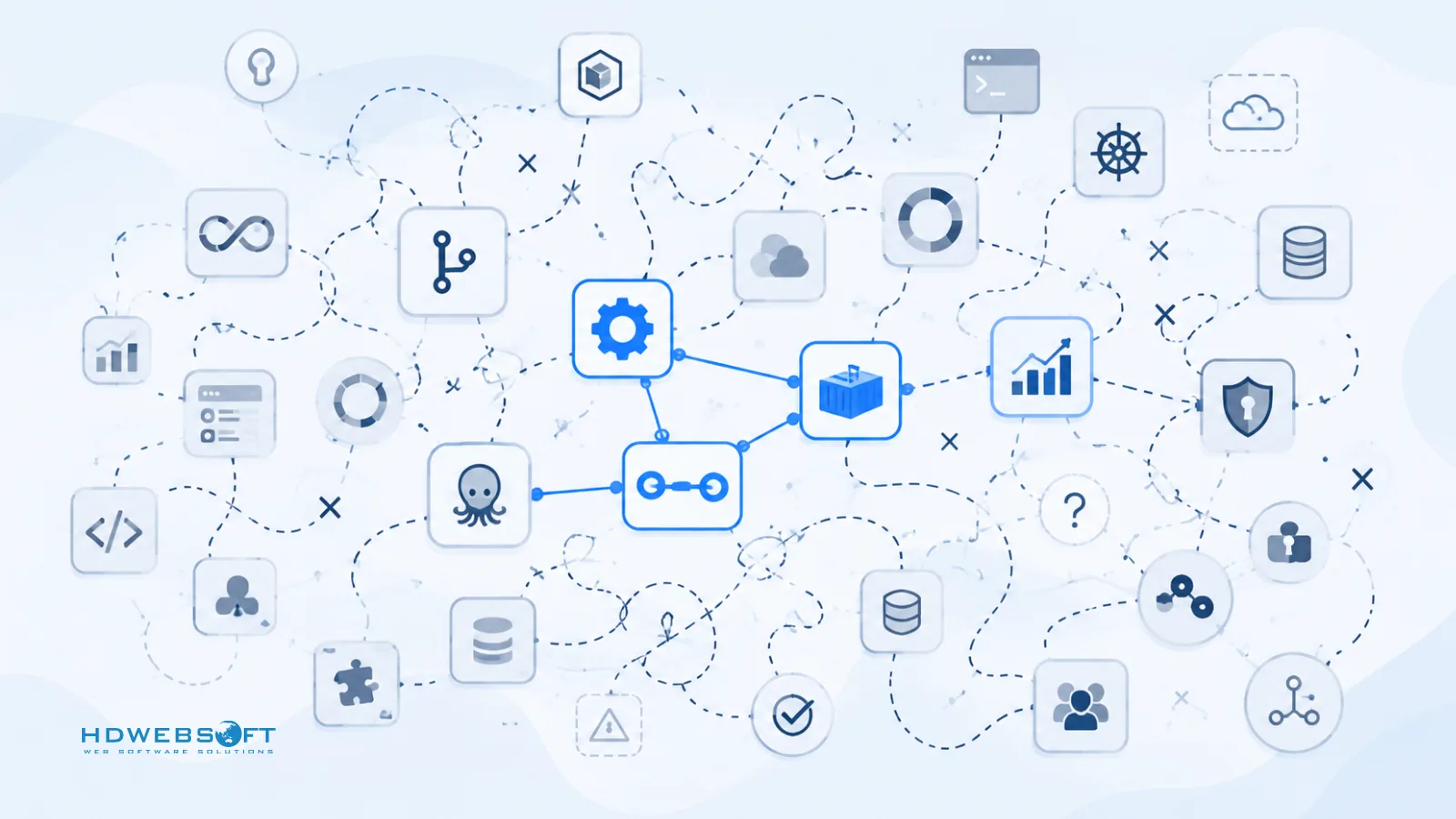
Integration: What Makes a Toolchain Work
The value of a DevOps toolchain comes from integration, not from the quality of any single tool. A toolchain of well-integrated, mid-tier tools often outperforms a collection of best-of-breed tools that do not talk to each other. Integration has several dimensions: data flow (an artifact flows from CI to registry to deployment target), event flow (a commit triggers a webhook that starts a pipeline), identity (single sign-on across tools), and visibility (a dashboard aggregating status from multiple systems).
Open APIs, Plugins, and the Plug-In/Plug-Out Principle
A practical principle for toolchain design is plug-in/plug-out: the ability to swap one tool for another without rebuilding the pipeline. This works when the umbrella system — usually the CI/CD platform — calls underlying tools through standard interfaces or plugin contracts rather than hard-coded integrations. If a pipeline calls an IaC tool through a standard step, swapping Terraform for OpenTofu is a one-line change. If the pipeline has Terraform-specific commands hard-coded into every stage, the swap becomes a multi-day migration.
Open Toolchains vs Integrated Platforms: The Trade-Off
The choice between an open toolchain (best-of-breed tools connected through APIs) and an integrated platform (one vendor’s suite covering multiple categories) is a real trade-off, not a one-sided decision.
Open toolchains
- Survive tool churn — replace a single tool without rebuilding the toolchain
- Pick the strongest tool in each category
- You own the integration, identity, and visibility layers
Open toolchains survive tool churn better. When a tool loses momentum or changes license, you can replace it without rebuilding the toolchain. They also let you pick the strongest tool in each category. The cost is integration work: you own the connections, identity, and visibility layers. For a small team, that overhead may not be worth it; for a larger organization with diverse needs, the flexibility often pays off.
Integrated platforms
- Fewer integration points, unified identity, consolidated billing
- Weaker in some categories than best-of-breed alternatives
- Lock-in risk if the platform raises prices or falls behind
Integrated platforms reduce integration effort. A single vendor’s suite — GitLab or GitHub covering source control, CI/CD, security scanning, and packages — means fewer integration points, unified identity, and consolidated billing. The trade-off is lock-in: if the platform raises prices, changes its roadmap, or falls behind in a category, moving away is expensive. Integrated platforms also tend to be weaker in some categories than best-of-breed alternatives.
Most organizations land somewhere in the middle: an integrated platform for categories where the vendor is strong, with best-of-breed tools plugged in where the platform is weak. The decision per category should be based on how much integration you need, how confident you are in the vendor’s long-term direction, and how costly a future migration would be.
How to Choose DevOps Tools: A Decision Framework
This framework focuses on tool selection — how to evaluate, pilot, and govern tools. It does not cover the broader process of implementing DevOps, which involves culture, organizational structure, and rollout strategy. For that, see our DevOps implementation roadmap.
Step 1 — Map Your Pipeline Stages
Draw your current pipeline end to end: plan, source control, build, test, release, deploy, operate, monitor. For each stage, note the tool in use, the team that owns it, and whether it is working. Mark gaps and overlaps. The output is a toolchain map and a list of problems — the foundation for every subsequent decision. Without it, tool selection becomes reactive.
Step 2 — Define Integration and Support Requirements
For each gap or replacement candidate, list the integration points that matter. Does the CI/CD tool need to call your IaC tool? Does your security scanner need to run inside the CI pipeline and gate deployment on critical findings? In parallel, decide the support level you need — community-supported open source with an internal on-call rotation, or a vendor with a support SLA and security response commitment. The right answer depends on your team’s expertise, regulatory environment, and the blast radius of a tool failure.
Step 3 — Evaluate Maturity, Community, and Enterprise Support
For each candidate, evaluate four criteria:
- Active maintenance. Check the release cadence, issue tracker, and maintainer landscape. A tool with a single maintainer and no releases in months is a risk.
- Community size. A large community means more documentation, more plugins, and better odds of surviving a maintainer departure.
- Commercial support option. If you need a support SLA, does one exist? Is the vendor financially stable? Has the licensing model changed recently?
- Security track record. How does the tool handle vulnerabilities in its own code? Is there a published security policy?
Red flags include a single maintainer, no releases for an extended period, license change history, or no published security policy. None are automatic disqualifiers, but each increases risk.
Step 4 — Pilot Before Standardizing
Run a pilot with one team and one real service, long enough to surface real integration issues — typically several weeks covering at least one release cycle. Measure what matters for your context: pipeline duration, build reliability, deployment recovery time, developer satisfaction, and security scan pass rate. Compare against the baseline from Step 1. If the tool does not improve the metrics you care about, do not standardize on it.
Step 5 — Govern Without Strangling
Too little governance and you get tool sprawl. Too much and you get a prescriptive regime that developers work around. A pragmatic middle ground has three elements:
- A tool catalog. A living inventory of approved tools, their owners, integration points, and lifecycle status. An internal developer platform such as Backstage is one way to host this.
- Policy-as-code. Enforce rules programmatically — for example, an Open Policy Agent policy that blocks deployment if a required security scan did not run. This turns governance from a manual review into a pipeline gate.
- An approval workflow for new tools. Make it easy to propose a new tool, require a documented gap and a pilot plan, and set a review timeline. The goal is to ensure every new tool is a deliberate choice, not an accident.
A Reference Modern DevOps Toolchain for 2026
The table below is an illustrative reference for a mid-size team building a toolchain from scratch or consolidating a sprawl. It is not a universal recommendation — your context, existing investments, and team expertise should drive the final choice. Use the decision framework above, not this table, as the source of truth.
| Stage | Tool | Why it fits a reference stack |
|---|---|---|
| Plan | Jira or Linear | Traceability from ticket to commit; integration with GitHub and GitLab |
| Source control | GitHub or GitLab | Built-in code review, CI/CD, and security scanning; large ecosystem |
| CI/CD | GitHub Actions or GitLab CI | Pipeline-as-code, ephemeral runners, marketplace extensions |
| IaC | Terraform or OpenTofu | Broad provider support, module ecosystem, drift detection |
| Configuration | Ansible | Agentless, imperative, low learning curve for existing servers |
| Containers | Docker, Kubernetes, Helm | Widely adopted packaging, orchestration, and package management |
| Observability | Prometheus, Grafana, OpenTelemetry | Open standards, self-hostable or managed, broad vendor support |
| Security | Snyk, Trivy, Open Policy Agent | Dependency and image scanning plus policy gates in CI |
A few notes on this reference:
- Jenkins still has a place in organizations with large existing installations. For greenfield toolchains in 2026, GitHub Actions and GitLab CI are more commonly chosen because they require less infrastructure management. This is a contextual observation, not a universal rule.
- Terraform vs OpenTofu is a license-preference decision as much as a technical one. Both are viable.
- Managed vs self-hosted observability depends on team capacity. A team without dedicated platform engineering is often better served by a managed platform, even at higher cost.
When Enterprises Need DevOps Support
Signs Your Team Needs External DevOps Expertise
External DevOps support is not a sign of failure — it is a sign that the problem has outgrown the internal team’s capacity or expertise. Common indicators include:
- Tool sprawl has become unmanageable. No one can produce a complete inventory, overlapping capabilities generate duplicate cost, and there is no clear path to consolidation.
- Pipelines are persistently slow with no clear improvement path. Attempts to optimize have not produced durable improvement, and root causes are not well understood.
- Security audits repeatedly fail. ISO 27001, SOC 2, or internal reviews surface the same findings cycle after cycle.
- Kubernetes or IaC adoption is stalled. The organization invested in containers or infrastructure as code but is not realizing the benefits because the internal team lacks experience.
- Incident recovery keeps hitting the same root causes. Postmortems identify recurring problems but the team cannot get ahead of them while also delivering features.
These usually mean the DevOps surface area has grown faster than the team’s headcount or expertise — a normal outcome of growth, not underperformance.
What a DevOps Partner Should Deliver
A good DevOps partner delivers outcomes, not tool licenses. The work typically includes toolchain assessment, infrastructure-as-code and Kubernetes migration, CI/CD redesign, DevSecOps integration, observability setup, and team upskilling so the internal team can operate the stack after the engagement ends. A partner that pushes a specific tool without assessing your context, creates lock-in without a handover plan, or delivers a pipeline the internal team cannot maintain is not the right fit.
HDWEBSOFT provides DevOps services grounded in ISO 9001 and ISO/IEC 27001 certified delivery. Our engineers work on toolchain assessment, CI/CD redesign, infrastructure as code, Kubernetes adoption, and DevSecOps integration, with a focus on leaving the internal team able to operate what we build.
Conclusion
DevOps tools in 2026 are not in short supply — the shortage is in frameworks for choosing, integrating, and governing them. The teams that build effective toolchains map their pipeline first, prioritize integration over best-of-breed selection, pilot before standardizing, and govern with a light hand. The three takeaways: map before you choose, integrate before you optimize, and govern before you sprawl.
If you want a partner to help assess your current toolchain, consolidate sprawl, or redesign your CI/CD and DevSecOps setup, HDWEBSOFT provides DevOps engineering grounded in ISO 9001 and ISO/IEC 27001 certified delivery. Contact us to start a conversation.
FAQ
What are DevOps tools?
DevOps tools are software tools that automate, integrate, or govern the stages of the DevOps lifecycle — from planning and source control through CI/CD, deployment, operation, and monitoring. They span seven core categories: plan and collaborate, source control, CI/CD, configuration management and infrastructure as code, containers and orchestration, observability and monitoring, and security and policy (DevSecOps).
What are the most commonly used DevOps tools in 2026?
The most commonly used DevOps tools in 2026 include Git, GitHub, and GitLab for source control; GitHub Actions, GitLab CI, and Jenkins for CI/CD; Terraform and OpenTofu for infrastructure as code; Ansible for configuration management; Docker and Kubernetes for containers and orchestration; Prometheus, Grafana, and OpenTelemetry for observability; and Snyk, Trivy, and Open Policy Agent for DevSecOps. The right mix depends on your team context, not on a universal ranking.
How do I choose the right DevOps toolchain?
Choose a DevOps toolchain by mapping your pipeline stages, defining integration and support requirements, evaluating maturity and community health, piloting with a real team before standardizing, and governing lightly through a tool catalog and policy-as-code. Focus on how tools integrate with each other rather than picking the highest-rated tool in each category.
What is the difference between CI/CD tools and DevOps automation tools?
CI/CD tools are a subset of DevOps automation tools. CI/CD tools automate the build, test, and release pipeline from source code to deployable artifacts. DevOps automation tools cover the broader lifecycle, including infrastructure as code, configuration management, container orchestration, observability automation, and security scanning — not only the build and release stages.
How many DevOps tools should a team use?
There is no fixed number, but a practical baseline is one primary tool per pipeline category — one source control platform, one CI/CD system, one IaC tool, and so on. When the count grows well beyond that without clear ownership, teams usually face tool sprawl: overlapping capabilities, broken integrations, and no one with a full view of the pipeline.
When should an enterprise hire a DevOps partner?
An enterprise should consider a DevOps partner when tool sprawl has become unmanageable, pipelines are consistently slow with no clear improvement path, security audits repeatedly fail, Kubernetes or infrastructure-as-code adoption is stalled because the internal team lacks experience, or incident recovery keeps hitting the same root causes. A good partner delivers assessment, migration, pipeline redesign, and team upskilling — not just tool licenses.