In today’s digital-first world, cybersecurity is no longer optional—it’s a necessity. Small businesses are increasingly targeted by cybercriminals due to their often-limited resources and security measures. Recent studies show that 43% of all cyberattacks target small businesses, with the average data breach costing organizations with fewer than 500 employees approximately $3.31 million. For small businesses, this can be devastating.
To help you stay ahead of the curve, we’ve compiled the 5 essential cybersecurity tools every small business needs now. These tools are not only effective but also affordable and easy to implement, making them perfect for businesses with limited IT resources. Let’s dive in!
Why Cybersecurity Tools Matter for Small Businesses
Small businesses often assume they’re too small to be targeted, but this couldn’t be further from the truth. Cybercriminals see small businesses as easy targets because they often lack robust security measures. Here’s why investing in cybersecurity tools is critical:
- Protect Sensitive Data: Small businesses handle sensitive customer and business data, including payment information, personal details, and intellectual property. A breach can lead to significant financial and reputational damage.
- Prevent Costly Downtime: Cyberattacks can disrupt business operations, leading to lost revenue and productivity. For example, ransomware attacks can lock you out of your systems until a ransom is paid.
- Build Customer Trust: Customers are more likely to trust businesses that prioritize cybersecurity. Demonstrating that you take data protection seriously can set you apart from competitors.
- Ensure Compliance: Many industries have strict data protection regulations, such as GDPR, HIPAA, and PCI DSS. Cybersecurity tools help you stay compliant and avoid hefty fines.
- Future-Proof Your Business: As cyber threats evolve, having the right tools in place ensures your business is prepared for emerging risks. Learn more about cybersecurity best practices and signs your business needs managed cybersecurity services.
Common Cybersecurity Threats Facing Small Businesses
Before diving into the tools, it’s essential to understand the threats you’re up against:
- Phishing Attacks: Deceptive emails or messages that trick employees into revealing sensitive information or downloading malware.
- Ransomware: Malicious software that encrypts your data and demands payment for decryption.
- Data Breaches: Unauthorized access to confidential information, often through weak passwords or unsecured networks.
- Insider Threats: Security risks from within your organization, whether malicious or accidental.
- Supply Chain Attacks: Compromises through third-party vendors or service providers.
Understanding these threats helps you choose the right tools to defend against them effectively.
5 Essential Cybersecurity Tools for Small Businesses
1. Norton
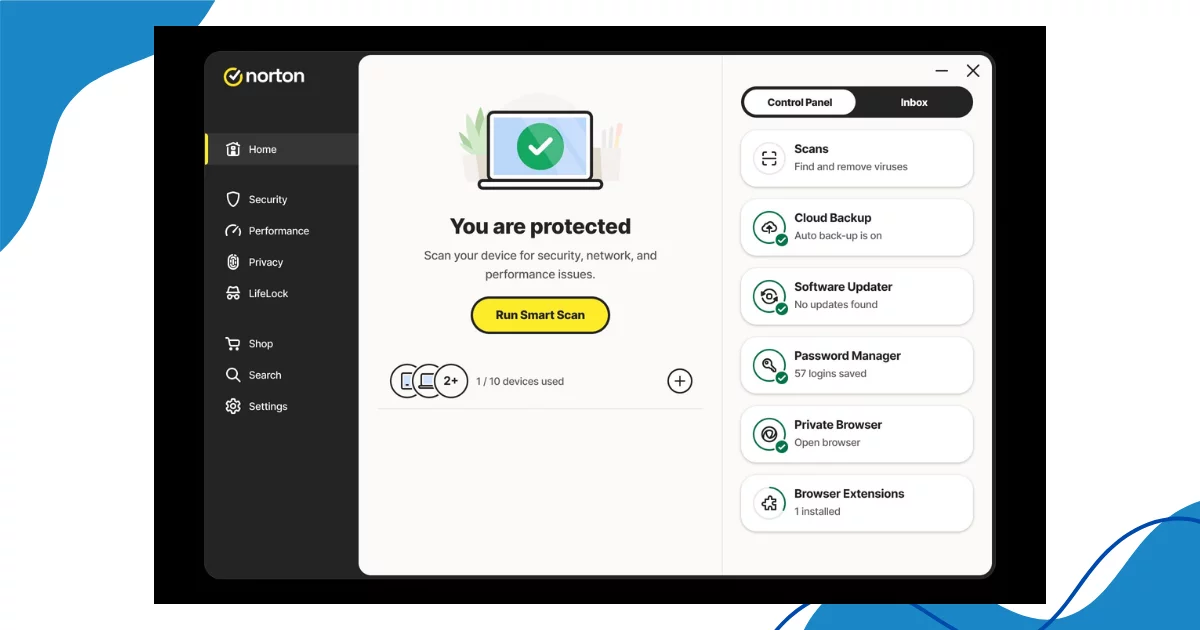
What It Does: Norton Small Business offers comprehensive endpoint protection, safeguarding your devices from malware, ransomware, and phishing attacks.
Key Features:
- Real-Time Threat Detection: Identifies and blocks threats before they can cause harm.
- Cloud Backup: Automatically backs up critical data to the cloud, ensuring you can recover quickly in case of an attack.
- Easy-to-Use Dashboard: Simplifies management, even for businesses without dedicated IT staff.
Why It’s Great for Small Businesses: Norton is affordable, scalable, and provides robust protection without requiring technical expertise.
Price: Starts at ~$30/year (varies by plan).
According to reviews on G2, users praise Norton Small Business for its ease of use and reliable protection. Read Norton Small Business reviews on G2.
2. Nikto
What It Does: Nikto is an open-source web server scanner that identifies vulnerabilities in web applications, such as outdated software, misconfigurations, and potential security risks.
Key Features:
- Comprehensive Scanning: Detects over 6,700 potentially dangerous files and programs.
- Customizable Plugins: Allows users to tailor scans to their specific needs.
- Open-Source and Free: Ideal for small businesses with limited budgets.
Why It’s Great: Nikto is a powerful tool for identifying vulnerabilities in web servers, helping businesses secure their online presence. Open-source tools like Nikto are essential for identifying vulnerabilities. Discover how AI is transforming cybersecurity and its impact on small businesses.
Price: Free (open-source).
Users on TrustRadius appreciate Nikto’s thorough scanning capabilities and its flexibility as an open-source tool. Read Nikto reviews on TrustRadius.
3. LastPass
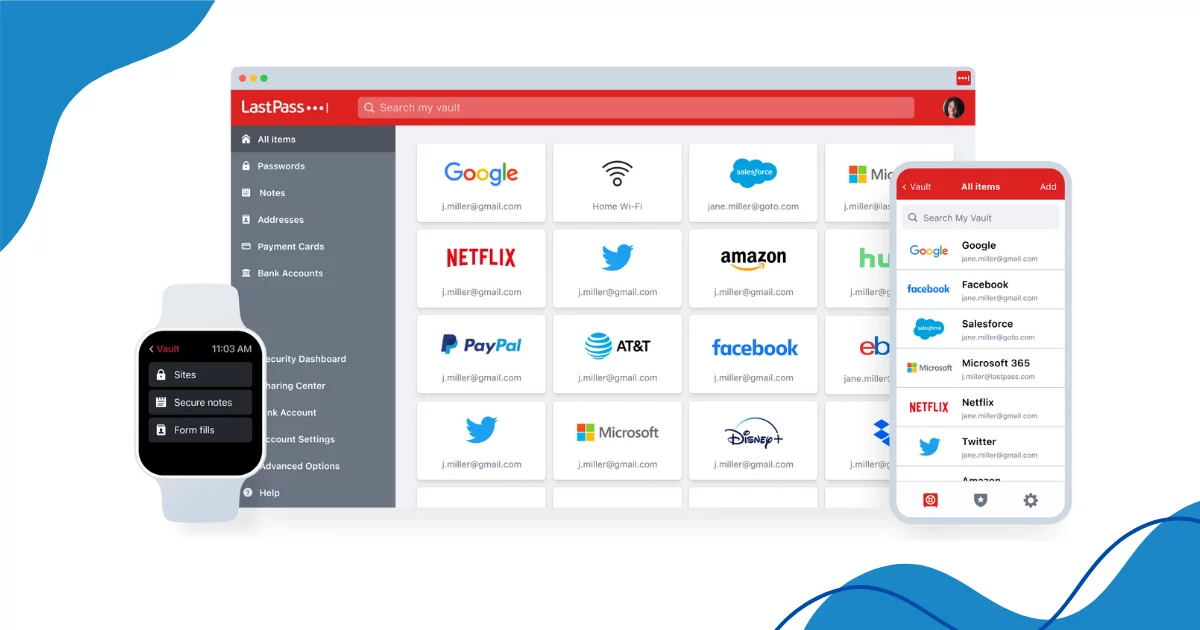
What It Does: LastPass is a password manager that helps businesses securely store and share passwords.
Key Features:
- Encrypted Password Storage: Keeps passwords safe from hackers.
- Multi-Factor Authentication (MFA): Adds an extra layer of security by requiring a second form of verification.
- Password Strength Auditing: Identifies weak or reused passwords and prompts users to update them.
Why It’s Great for Small Businesses: LastPass simplifies password management and reduces the risk of credential theft, which is a common entry point for cyberattacks.
Price: Starts at ~$3/month (Personal); Business plans vary.
G2 reviewers highlight LastPass Business for its user-friendly interface and strong security features. Read LastPass Business reviews on G2.
4. Cisco Umbrella
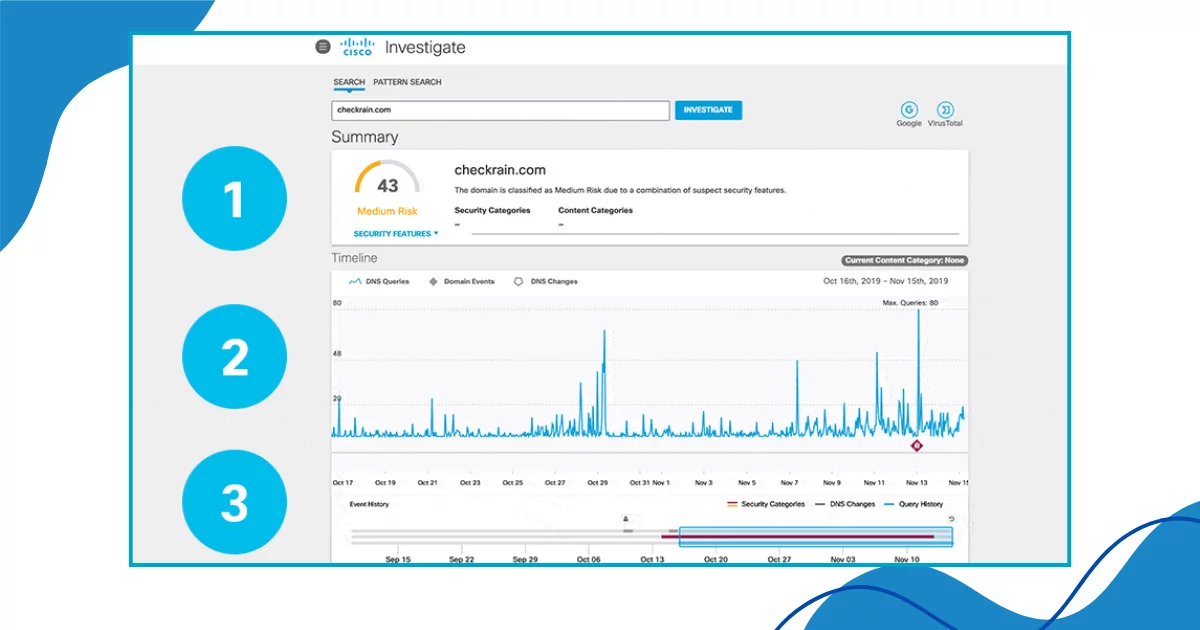
What It Does: Cisco Umbrella is a cloud-based security platform that blocks malicious domains and IPs before they reach your network.
Key Features:
- DNS-Layer Security: Prevents access to malicious websites and phishing domains.
- Real-Time Threat Intelligence: Uses global threat data to identify and block emerging threats.
- Easy Deployment: Can be set up in minutes without requiring additional hardware.
Why It’s Great for Small Businesses: Cisco Umbrella provides enterprise-level security at an affordable price, making it accessible for small businesses. Cloud-based security platforms like Cisco Umbrella are revolutionizing how businesses protect their networks.
Price: Contact Sales (pricing varies by edition).
What Users Are Saying: Users on G2 commend Cisco Umbrella for its seamless integration and effective threat prevention. Read Cisco Umbrella reviews on G2.
5. Acronis
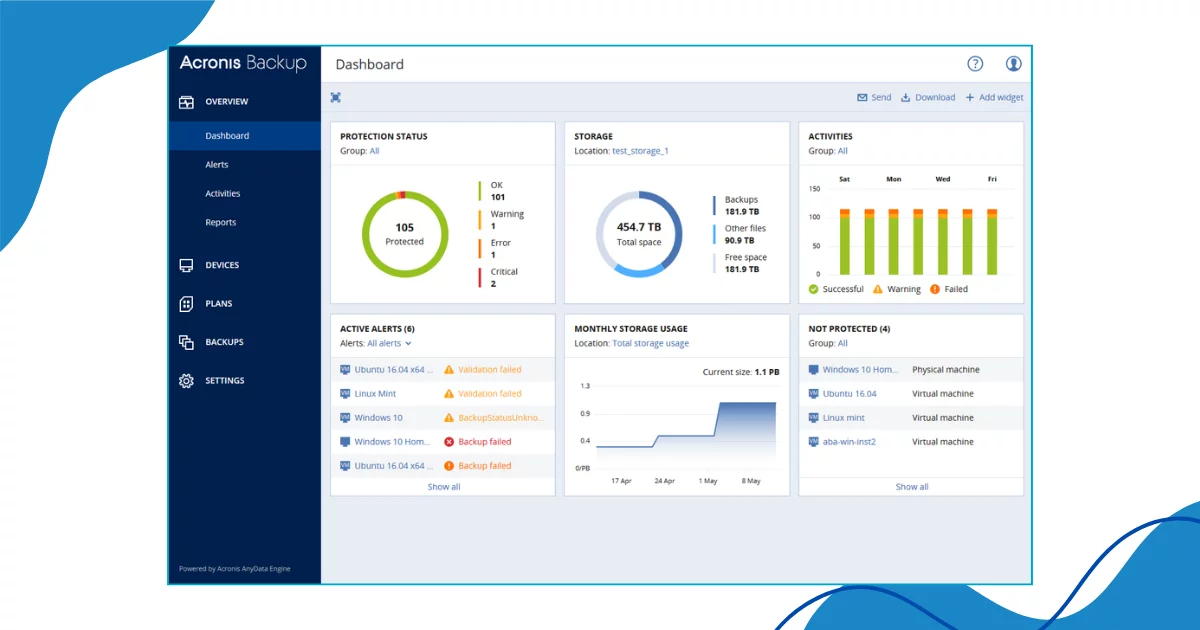
What It Does: Acronis combines backup, anti-malware, and endpoint protection into a single solution.
Key Features:
- Automated Backups and Recovery: Ensures your data is always protected and can be restored quickly.
- AI-Based Ransomware Protection: Detects and blocks ransomware attacks in real-time.
- Integrated Disaster Recovery: Simplifies the process of recovering from a cyberattack or hardware failure.
Why It’s Great for Small Businesses: Acronis Cyber Protect is an all-in-one solution that simplifies cybersecurity management, saving you time and money.
Price: Starts at ~$50/year (varies by edition).
TrustRadius users appreciate Acronis Cyber Protect for its comprehensive features and reliable performance. Read Acronis Cyber Protect reviews on TrustRadius.
Quick Comparison: 5 Essential Cybersecurity Tools
| Tool | Best For | Price | Key Feature | Deployment |
|---|---|---|---|---|
| Norton | Endpoint protection | ~$30/year (varies by plan) | Real-time threat detection | Cloud-based |
| Nikto | Web vulnerability scanning | Free (open-source) | Comprehensive scanning | On-premise |
| LastPass | Password management | ~$3/month (Personal); Business plans vary | Encrypted password storage | Cloud-based |
| Cisco Umbrella | DNS security | Contact Sales (varies by edition) | DNS-layer security | Cloud-based |
| Acronis | Backup & recovery | ~$50/year (varies by edition) | AI-based ransomware protection | Hybrid |
This comparison helps you quickly identify which tool addresses your most pressing security needs.
Implementation Tips for Small Businesses
Getting the right tools is only half the battle. Here’s how to implement them effectively:
- Start with a Security Assessment: Identify your vulnerabilities before investing in tools. This helps you prioritize which solutions you need most.
- Train Your Employees: Human error is a leading cause of security breaches. Regular training on phishing awareness and password hygiene is essential.
- Layer Your Security: Don’t rely on a single tool. Combine endpoint protection, password management, and network security for comprehensive coverage.
- Regular Updates and Patches: Keep all software and security tools updated to protect against the latest threats.
- Backup Critical Data: Implement the 3-2-1 backup rule: 3 copies of data, 2 different media types, 1 offsite backup.
- Monitor and Review: Set up alerts and regularly review security logs to stay ahead of potential threats.
How to Choose the Right Cybersecurity Tool
With so many options available, choosing the right cybersecurity tool for your small business can be overwhelming. Here are some factors to consider:
- Ease of Use: Look for tools with intuitive interfaces and minimal setup requirements. Small businesses often lack dedicated IT staff, so user-friendly solutions are essential.
- Scalability: Choose tools that can grow with your business. As your business expands, your cybersecurity needs will evolve, so it’s important to select solutions that can scale accordingly.
- Cost: Cybersecurity tools should fit within your budget while providing adequate protection. Many tools offer tiered pricing plans, so you can start with a basic package and upgrade as needed.
- Features: Prioritize tools that offer comprehensive protection, including malware detection, data backup, and multi-factor authentication (MFA). The more features a tool offers, the better equipped you’ll be to handle different types of threats.
- Customer Support: Reliable customer support is crucial, especially for small businesses without in-house IT expertise. Look for tools that offer 24/7 support and have a reputation for excellent customer service.
FAQ: Cybersecurity Tools for Small Businesses
Q: How much should a small business spend on cybersecurity?
A: While budgets vary, experts recommend allocating 5-10% of your IT budget to cybersecurity. The good news is that many essential tools like Nikto are free, and others offer affordable tiered pricing.
Q: Can I use free cybersecurity tools for my small business?
A: Yes, tools like Nikto offer robust protection at no cost. However, for comprehensive security, consider combining free tools with paid solutions for critical areas like endpoint protection and backup.
Q: Do I really need cybersecurity tools if I have a small team?
A: Absolutely. Small businesses are actually targeted more frequently because they’re perceived as easier targets. The cost of a breach far outweighs the investment in preventive tools.
Q: How often should I update my cybersecurity tools?
A: Enable automatic updates wherever possible. For tools that require manual updates, check for updates at least monthly and immediately after any major security announcement.
Q: What’s the first cybersecurity tool I should implement?
A: Start with a password manager like LastPass. Weak passwords are the most common entry point for cyberattacks, and this tool provides immediate protection with minimal setup.
Conclusion
Investing in the right cybersecurity tools is one of the best decisions you can make for your small business. The tools listed above—Norton, Nikto, LastPass, Cisco Umbrella, and Acronis—offer a balance of affordability, ease of use, and robust protection.
By implementing these tools, you can safeguard your business from cyber threats, protect sensitive data, and ensure long-term success. Don’t wait until it’s too late—start securing your business today! Explore HDWEBSOFT’s end-to-end cybersecurity services and make your systems more secure and resilient.